


Targeting
Segmented lists
Trade, geo, size, and fit — templates and senders stay brand-separated.
Production outreach built on OutreachEngine — Flask, SQLite, multi-brand campaigns for kl, kg, st, and faithworks lanes with scheduler-driven first_touch and followup sequences.
Local service CRM outreach needs brand separation, daily send caps, bounce discipline, and Email-Agent reply routing — not copy-paste from a shared inbox. OutreachEngine runs kl, kg, st, and faithworks lanes for contractor and property manager lists; replies land in crm_reply, not personal Gmail.
Copy-pasting between spreadsheets and Gmail destroys deliverability. Replies land in personal inboxes. Follow-ups stop when someone gets busy.
Built from live Knight Logics workflows — not generic agency checklists.
Targeting
Trade, geo, size, and fit — templates and senders stay brand-separated.
Creative
CTA-heavy emails with service context and proof links that sell estimates.
Replies
CRM replies land in dedicated queues — not lost in personal Gmail.
Cadence
first_touch and followup under 20–40 daily sends per brand lane.
Deliverability
Hard bounces flagged and suppressed before the next send window.
Reporting
Which lists and messages produce replies and booked work.
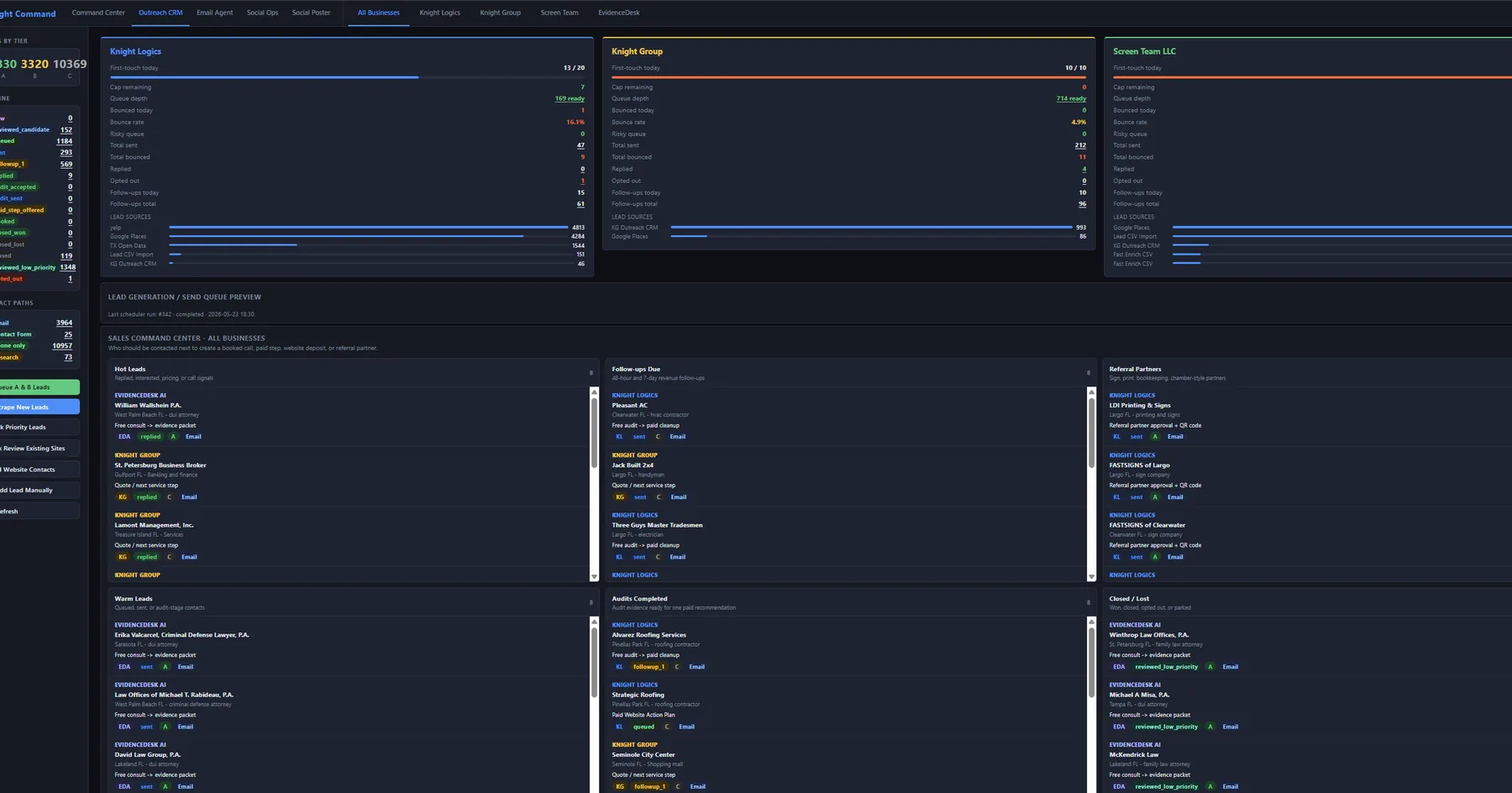
Operators open the Outreach CRM tab in the same ADMIN shell as referrals, email, and social — queue preview, brand lanes, and send windows without hopping between apps.
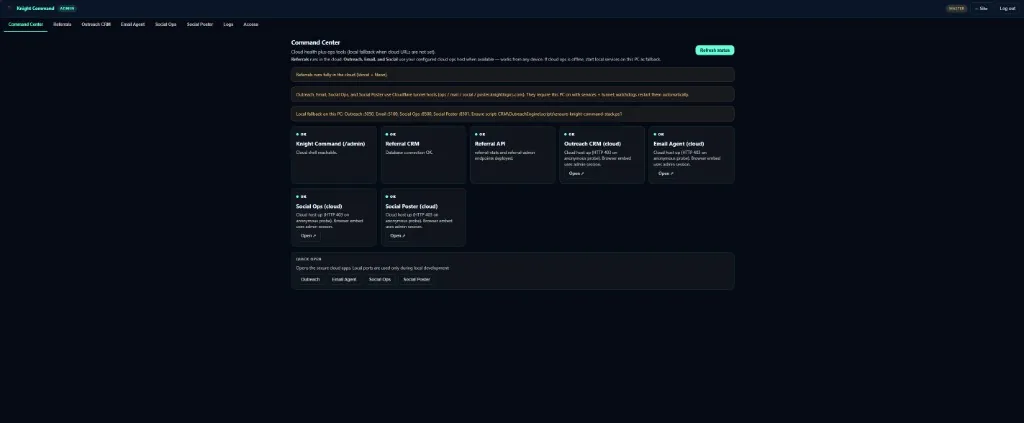
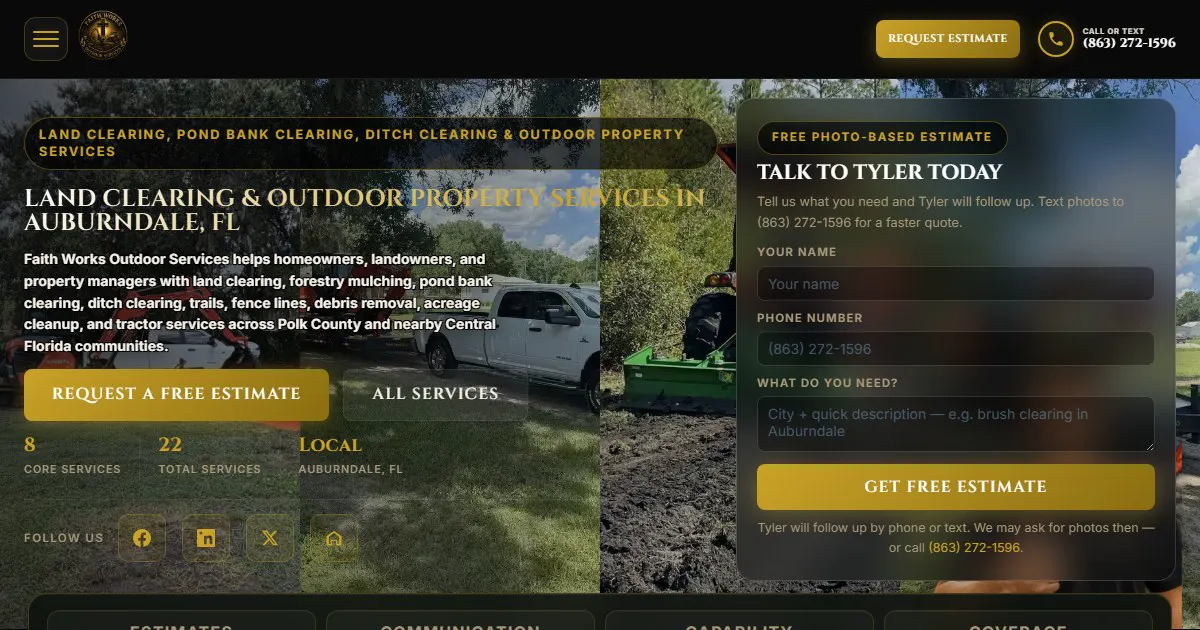
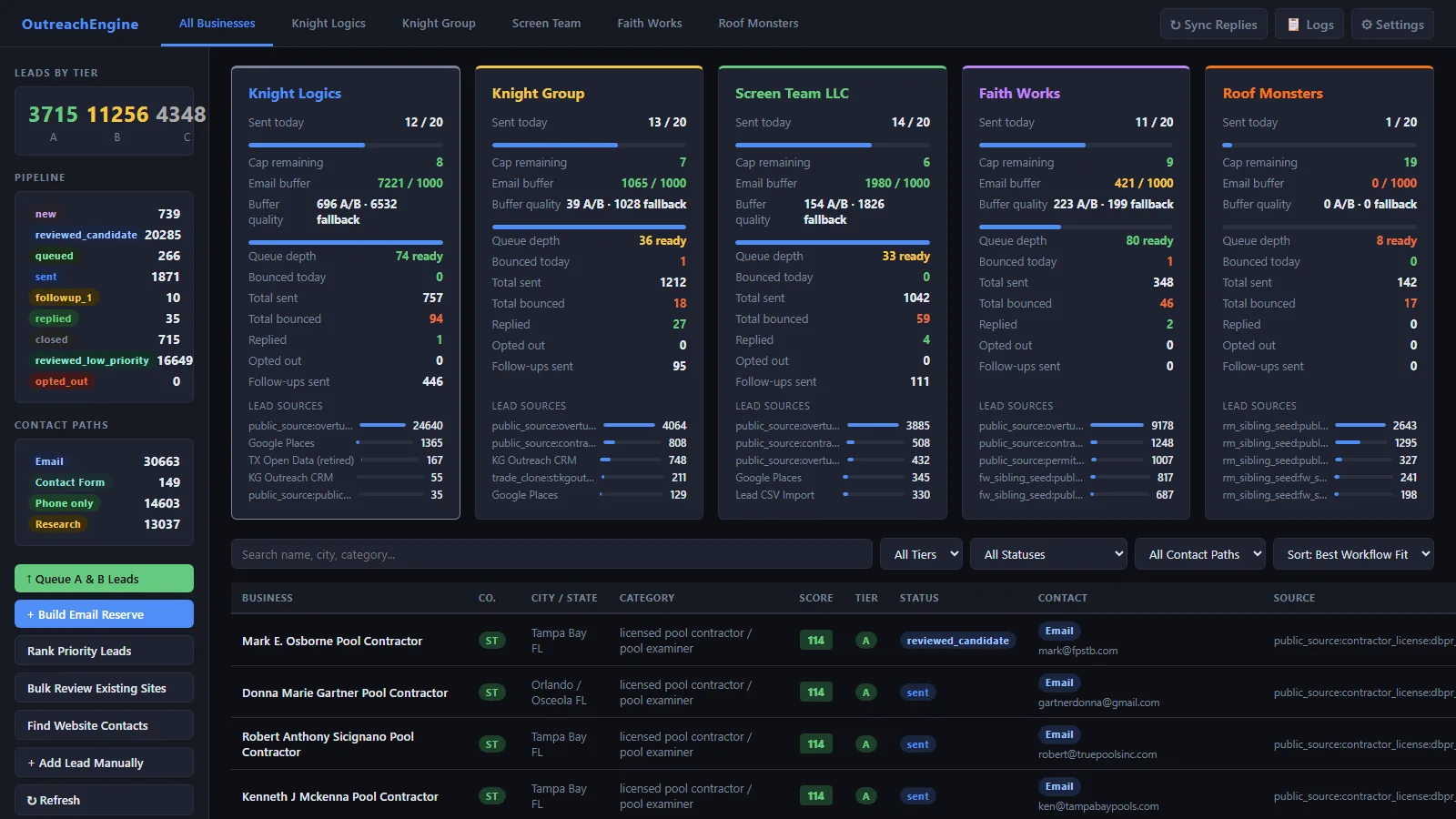
Brand-lane templates go out through OutreachEngine; Email-Agent shows CRM Sent threads and routes replies. Screen Team st template + Faith Works faithworks mailbox below — same pipeline for contractor and property-manager lists.
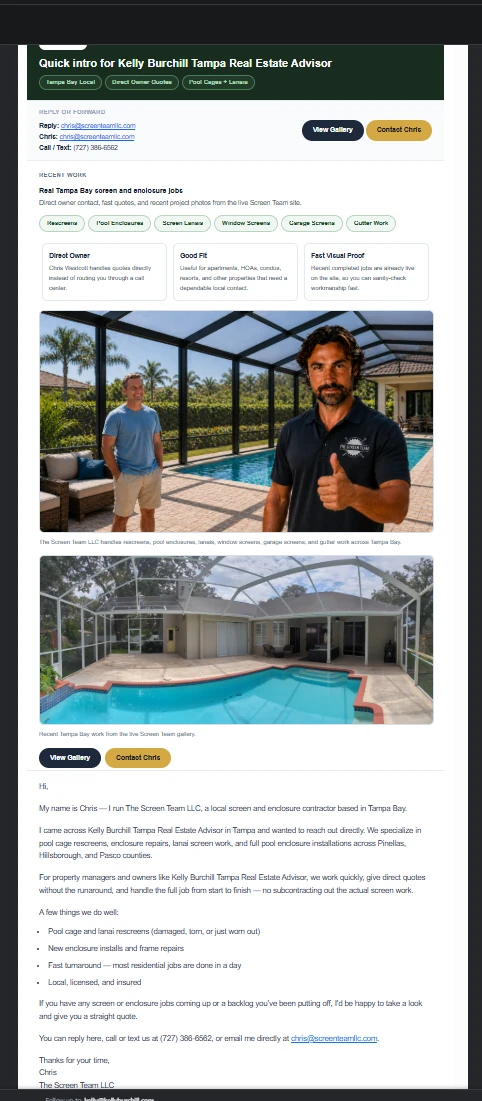
st first-touch — proof photos, CTAs, and owner contact in the send.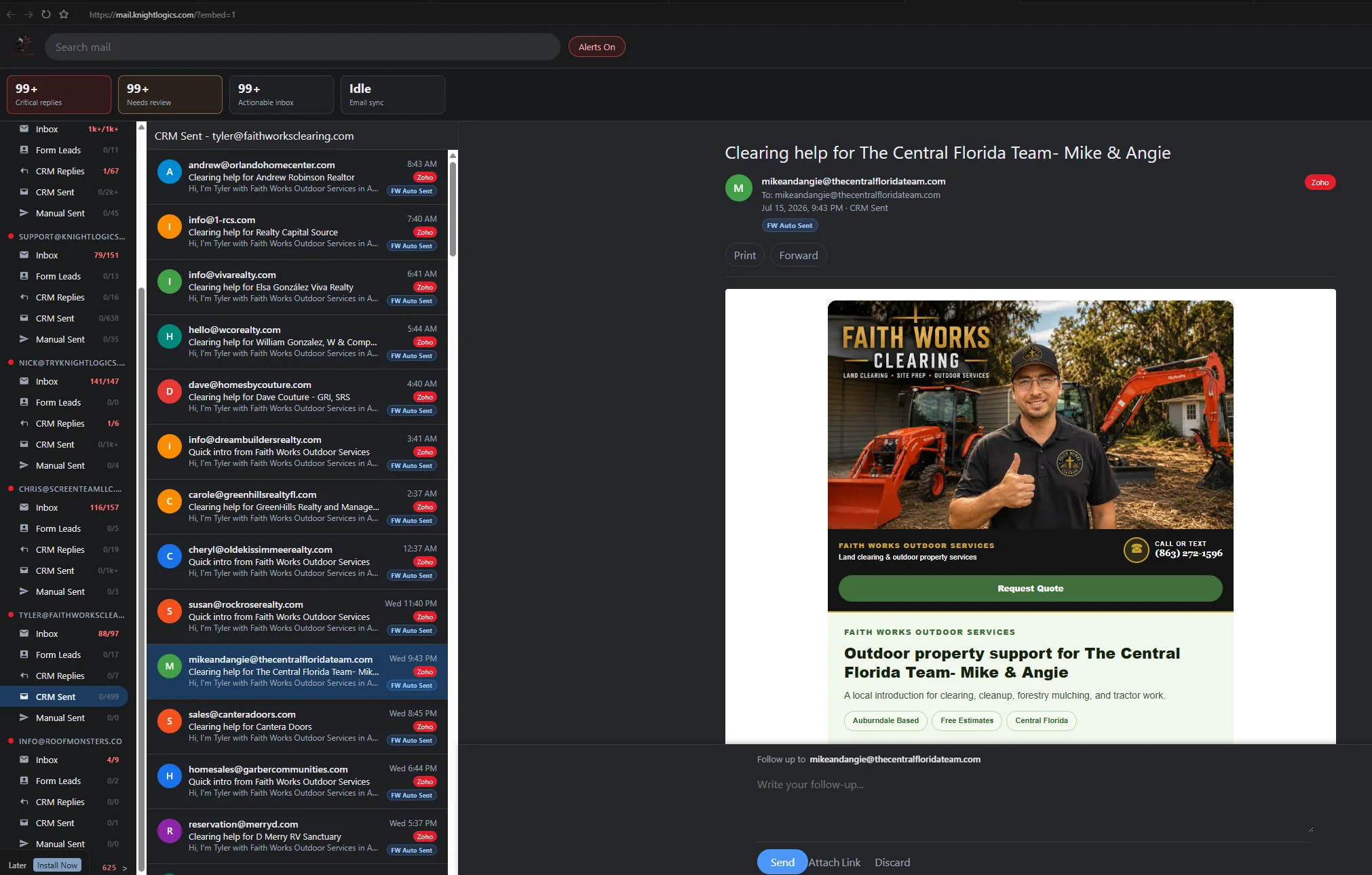
OutreachEngine configuration for contractor email outreach — lists, caps, brand lanes, and reply routing.
Screen Team, Faith Works, and Knight Group lanes run on the same CRM queue, caps, and reply routing documented in the case study — screenshots from live operator UIs.
Production CRM OutreachEngine lanes
OutreachEngine drives Screen Team st, Faith Works faithworks, and Knight Group kg lanes — each with separate templates, caps between 20–40 sends, and bounce suppression.
Reply path Email-Agent multi-inbox routing
Email-Agent on port 5100 is the CRM email integration layer behind OutreachEngine. Website contact form leads, Formspree submissions, and campaign replies route into brand-mapped mailboxes for Knight Logics, Knight Group, Screen Team, Faith Works, and Roof Monsters — so inbound lead routing never lands in a personal inbox.
Operators triage from dedicated folders: Inbox, Form Leads, CRM Replies, CRM Sent, and Manual Sent. Critical replies and Needs review counters surface hot threads before the morning gets buried in newsletters and spam.
Priority
Email triage for sales teams starts with urgency — Critical replies flags hot CRM responses and Needs review catches threads that still need an operator decision. Shared inbox for contractors without treating every message as equal priority.
Folder
General inbound per mailbox — day-to-day mail stays visible without mixing into campaign CRM reply management or website lead capture queues.
Lead capture
Website form submissions and Formspree lead routing land here — contact form leads, estimate requests, and quote forms isolated from outreach noise so lead response time stays measurable.
Campaign loop
OutreachEngine responses surface in CRM Replies (crm_reply) — property manager outreach and contractor email outreach replies stay attached to the campaign thread for two-way inbox sync style triage.
Outbound proof
Auto-sent first_touch and followup volume per brand lane — operators verify what left the scheduler before blaming deliverability or list quality.
Human lane
Owner or estimator writes that left the mailbox outside the capped scheduler — manual sales email stays auditable without polluting CRM Sent counts.
Multi-mailbox inbox ops cover Gmail, Zoho Mail, and Microsoft 365 / Outlook with per-brand credential maps. KL, KG, ST, and Faith Works each keep sender reputation, templates, and reply folders isolated — multi-brand email management without cross-contaminating Screen Team and Knight Group threads.
Lead pipeline email tracking fails when form submissions, campaign replies, and owner threads share one search box. Separating Form Leads from CRM Replies is how Tampa Bay trades keep inbound lead routing, email follow-up automation, and deliverability hygiene in the same morning review — without Zapier duct tape or a personal phone ping for every Formspree notification.

Outreach sends from OutreachEngine; replies land in Email-Agent views mapped to the correct brand lane; operators triage from Knight Command or dedicated CRM tabs.
A clear path from intake to launch — scoped to what your team will actually use.
Define ICP, geography, and the service story each segment should hear — property managers, HOAs, and complementary trades get different offers.
Separate sender profiles, CTAs, and proof links per brand lane so reputation stays isolated.
first_touch and followup cadence with caps, bounce rules, and preview sends before volume ramps.
Route replies to Email-Agent crm_reply views and report lead sources weekly against booked work.
Outbound lead generation outcomes operators can check after each send window.
Follow-up cadence enforced by scheduler instead of depending on someone remembering inbox checks.
Daily caps and bounce suppression keep domains healthy while lists scale.
KG, KL, and ST lanes stay isolated — templates and senders do not cross-contaminate.
Reply rate per list and message variant visible for weekly operator review.
Estimate-first trades needing consistent outbound beyond referrals
Businesses with multiple brands that must not share sender reputation
Owners who want follow-up discipline without living in Gmail
Teams already getting some inbound but need predictable pipeline
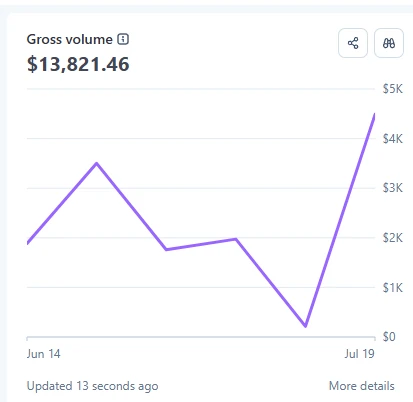 Stripe gross
Segmented kg lists feed OutreachEngine; replies book into jobs that KG Dispatch tickets and invoices. Stripe recorded $13.8k gross volume in a recent mid-June → mid-July window — live revenue on the same stack, not a mockup dashboard.
Knight Group case studyCRM outreach proof — OutreachEngine case study first, then a brand lane that booked real work.
Flask SQLite CRM with kl, kg, st, and faithworks brand lanes — scheduler cadence and Email-Agent reply routing on live client campaigns.
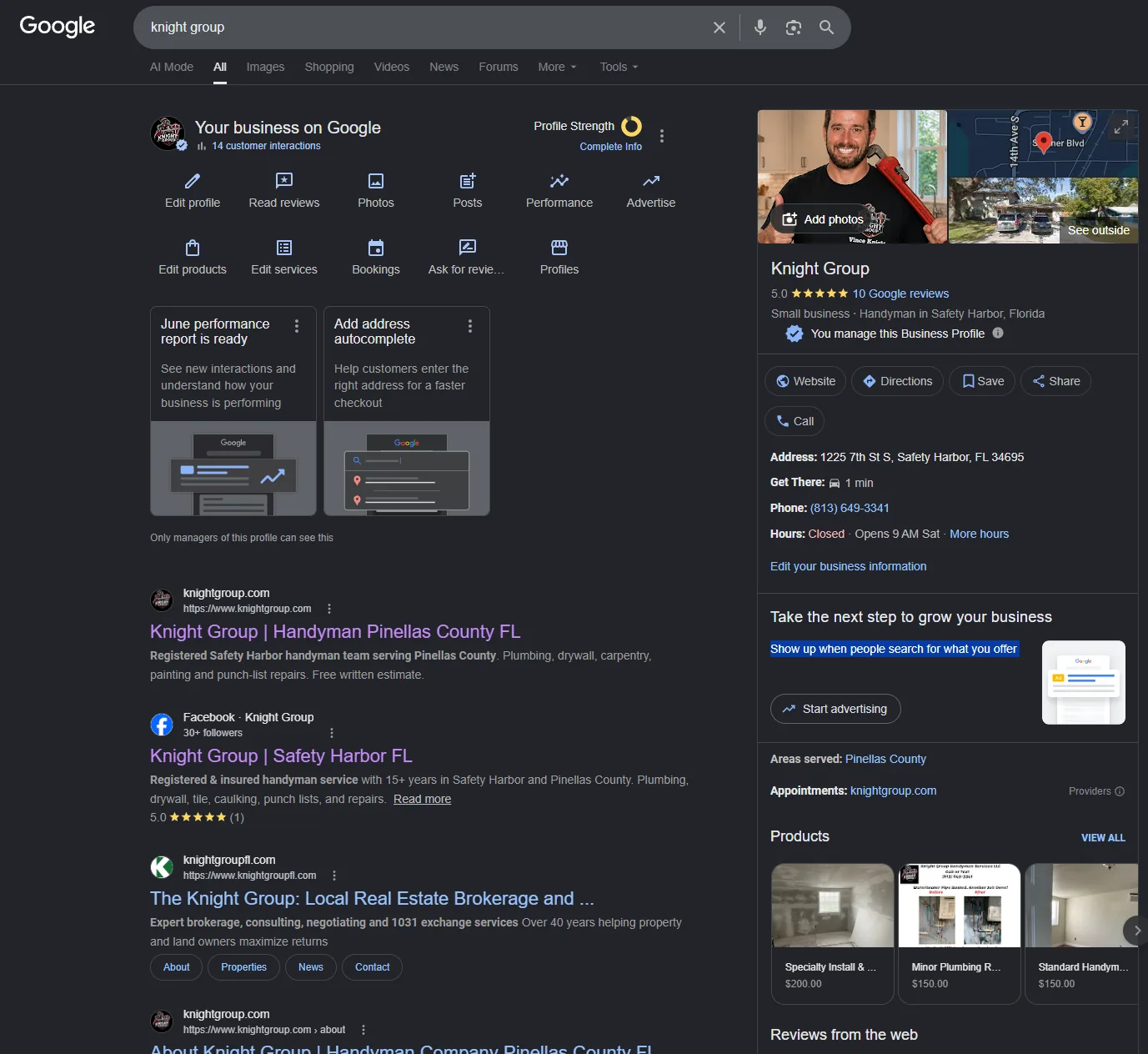
96/100/100 Lighthouse scores, booking flow, and kg OutreachEngine lane with real booked work.
Lists are imported and tagged, templates previewed per brand, scheduler jobs send first_touch and followup under daily caps, bounces are suppressed, and replies land in Email-Agent crm_reply for operator triage into booked work.
We typically cap between 20 and 40 sends per day per brand while warming domains and monitoring bounce rates — enough for outbound lead generation without torching reputation.
Yes — property manager and complementary-trade segments are first-class list tags with dedicated templates and caps separate from consumer blast tools.
Yes — Email-Agent on port 5100 routes CRM replies into crm_reply views separate from manual conversations and Formspree leads.
We deploy and configure OutreachEngine for your brands, lists, and follow-up rules — adapted from our live KL/KG/ST/faithworks workflows.
Estimate-first Tampa Bay trades and multi-brand operators who need contractor email outreach with send caps and reply routing — not one-off newsletter blasts.
We will scope list strategy, brand separation, and reply routing for your trade and territory.
Request a Consultation