Unify
Multi-inbox routing
Business accounts unified with folder rules on port 5100 — Gmail, Zoho, or Microsoft per brand.
Unify business inboxes on port 5100 — OutreachEngine campaign replies in crm_reply views, website leads in formspree_lead, manual threads separate, with KL / KG / ST brand maps and bounce signals back to the CRM scheduler.
Email-Agent is the inbox lane inside Knight Command. Outreach sends from OutreachEngine; replies land in crm_reply. Website forms route to formspree_lead. Owner conversations stay in manual views. Brand maps keep Knight Logics, Knight Group, and Screen Team credentials isolated — bounce feedback loops to OutreachEngine before the next capped send window.
When a prospect answers a first_touch or followup send, Email-Agent classifies the thread as crm_reply — not mixed with newsletters, Formspree intake, or personal mail. Operators triage campaign responses daily without hunting Gmail labels.
Autoplaying muted — use controls to unmute
Formspree webhooks and site contact forms route into formspree_lead views per brand. Estimate requests, consult forms, and referral landing pages stay isolated from OutreachEngine traffic so intake does not get buried under CRM replies.
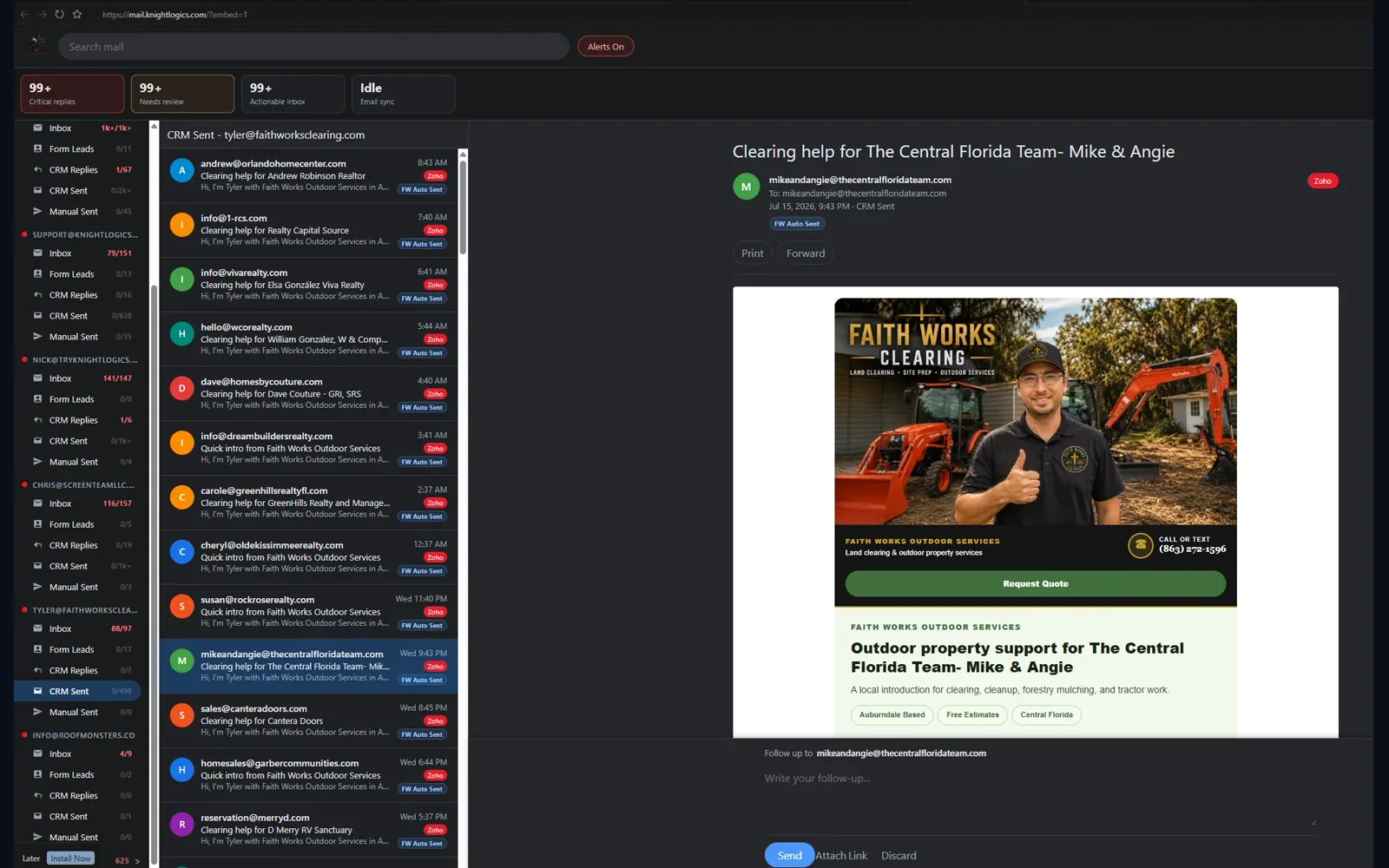
Not every email is a campaign reply or a form lead. Manual Sent and manual inbox views keep day-to-day sales conversations, vendor threads, and one-off customer mail out of crm_reply and formspree_lead queues — so morning triage stays fast.
crm_reply count first, then formspree_lead intake, then manual owner threads — documented for every operator.
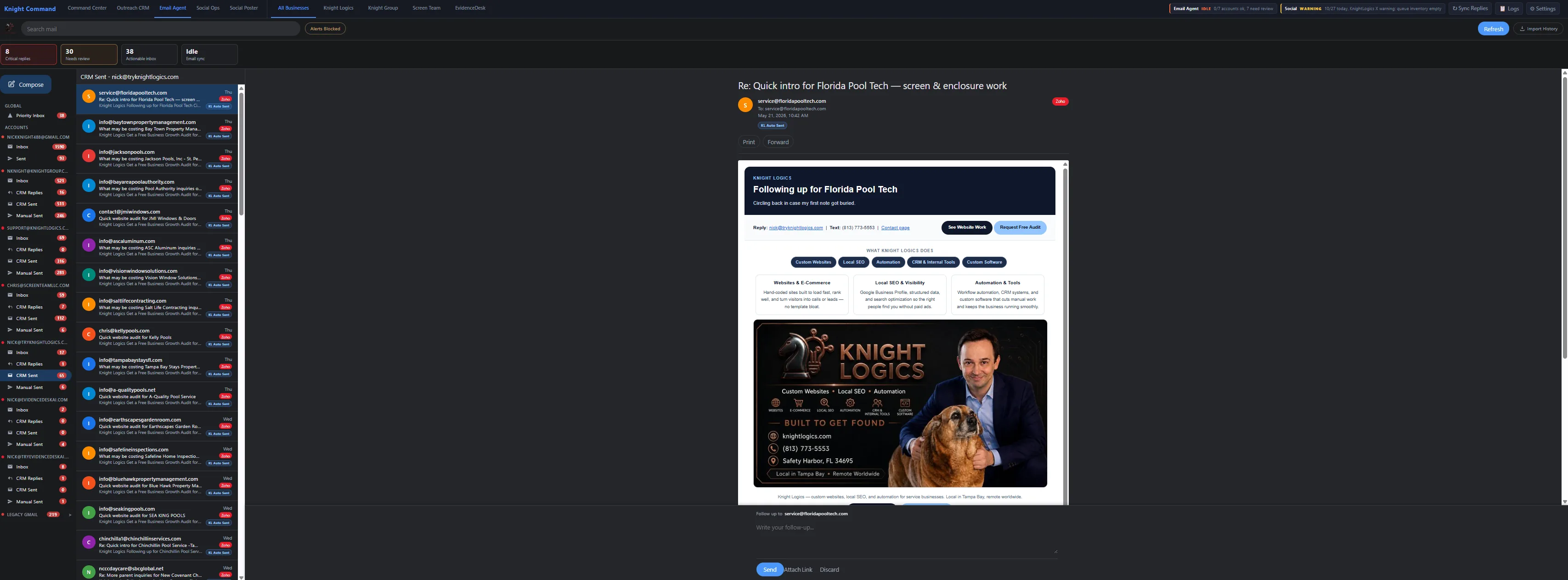
Multi-brand Tampa Bay operators cannot afford cross-lane reply mixups. Email-Agent maps Knight Logics, Knight Group, and Screen Team to separate provider credentials — Gmail, Zoho, or Microsoft — with templates and senders that never cross accounts.
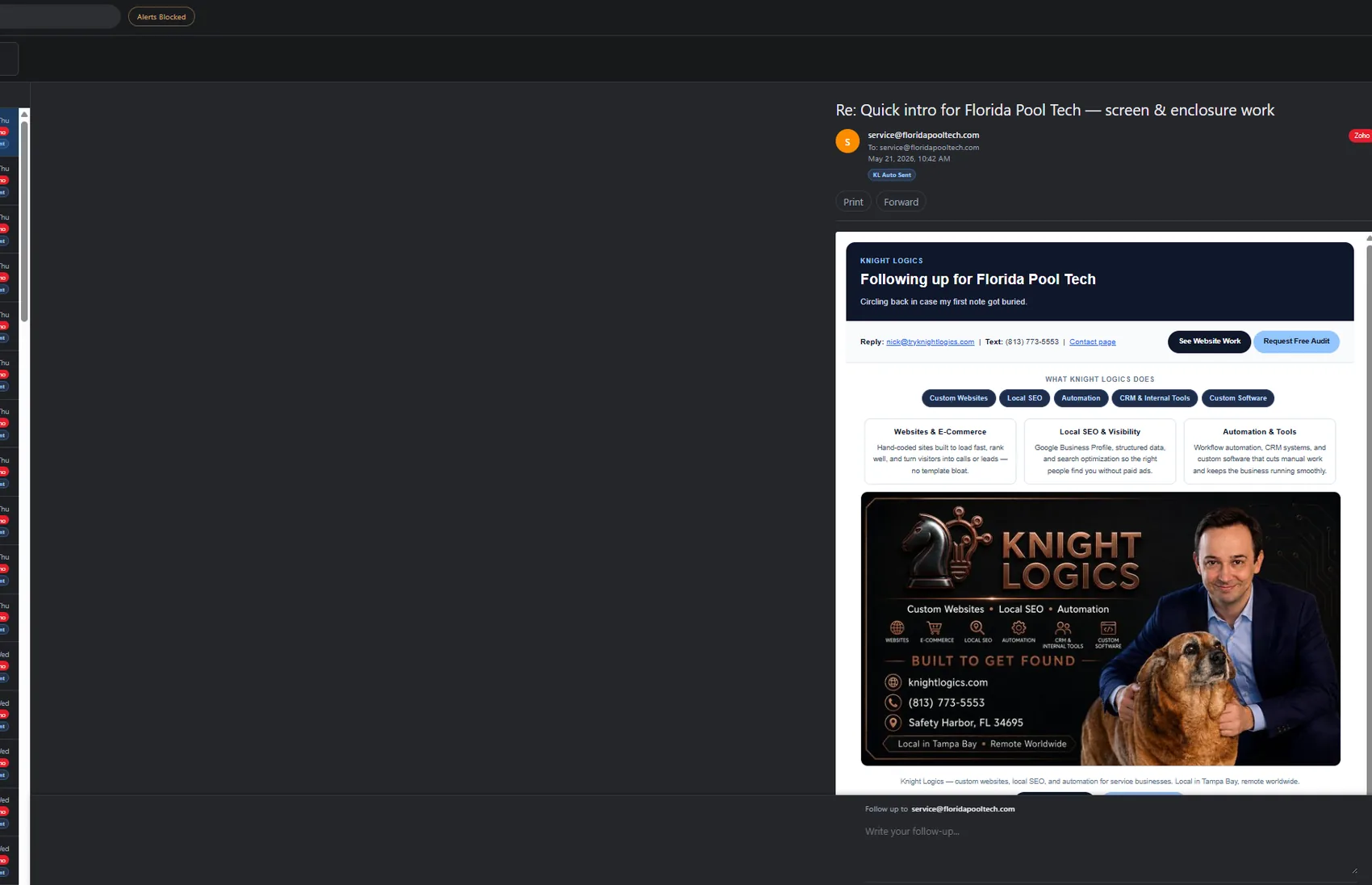
Bad addresses poison domain reputation when they keep receiving capped sends. Email-Agent surfaces bounces and delivery failures to operators and feeds suppression back into OutreachEngine — so the next first_touch window does not hit addresses that already failed.
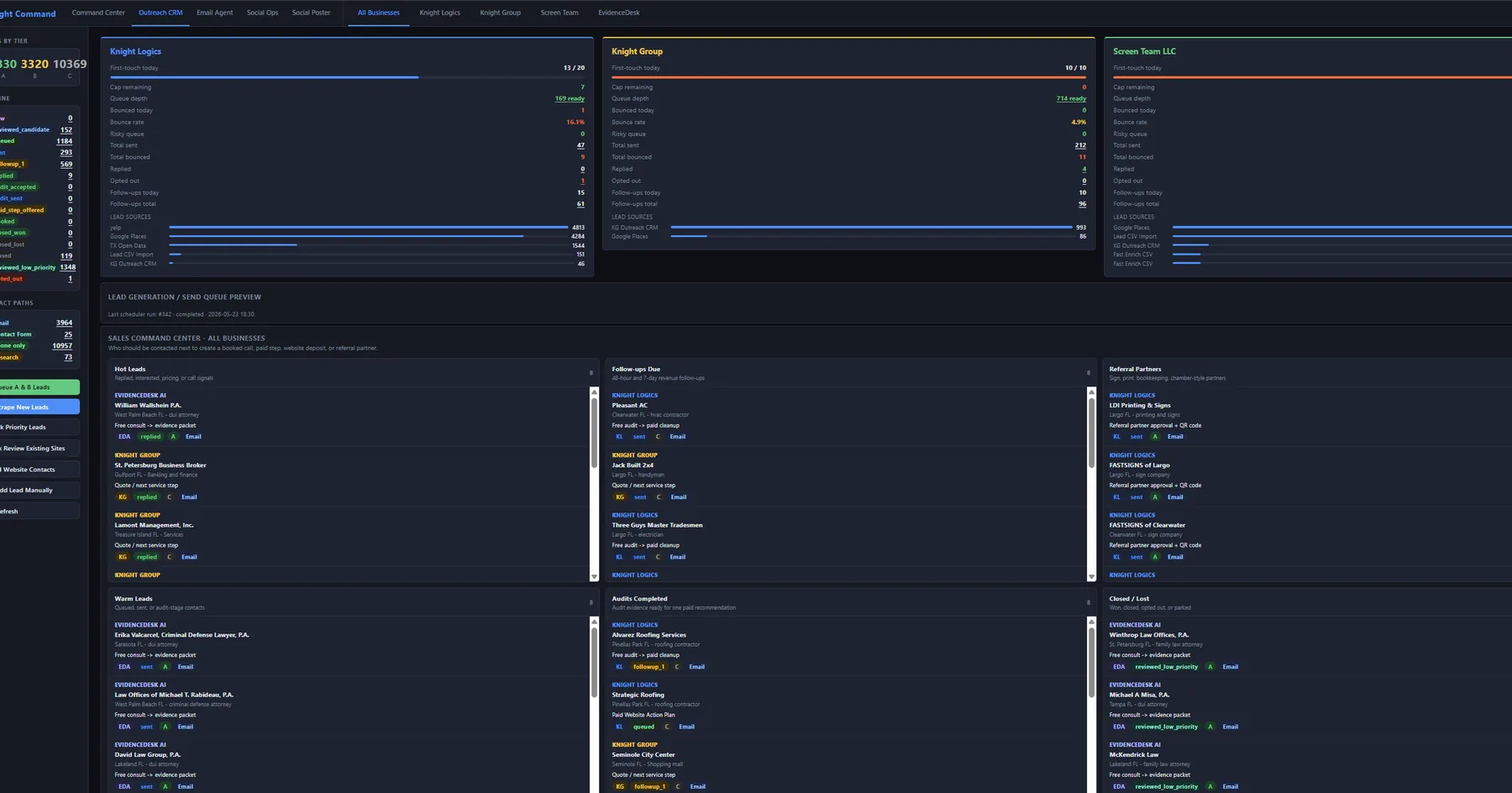
Email-Agent embeds in the Knight Command Email Agent tab beside Outreach CRM, Referrals, and Social Poster. Port 5100 is also reachable directly for operators who need a standalone inbox window — same routing rules either way.
crm_reply responses while crews are in the field.
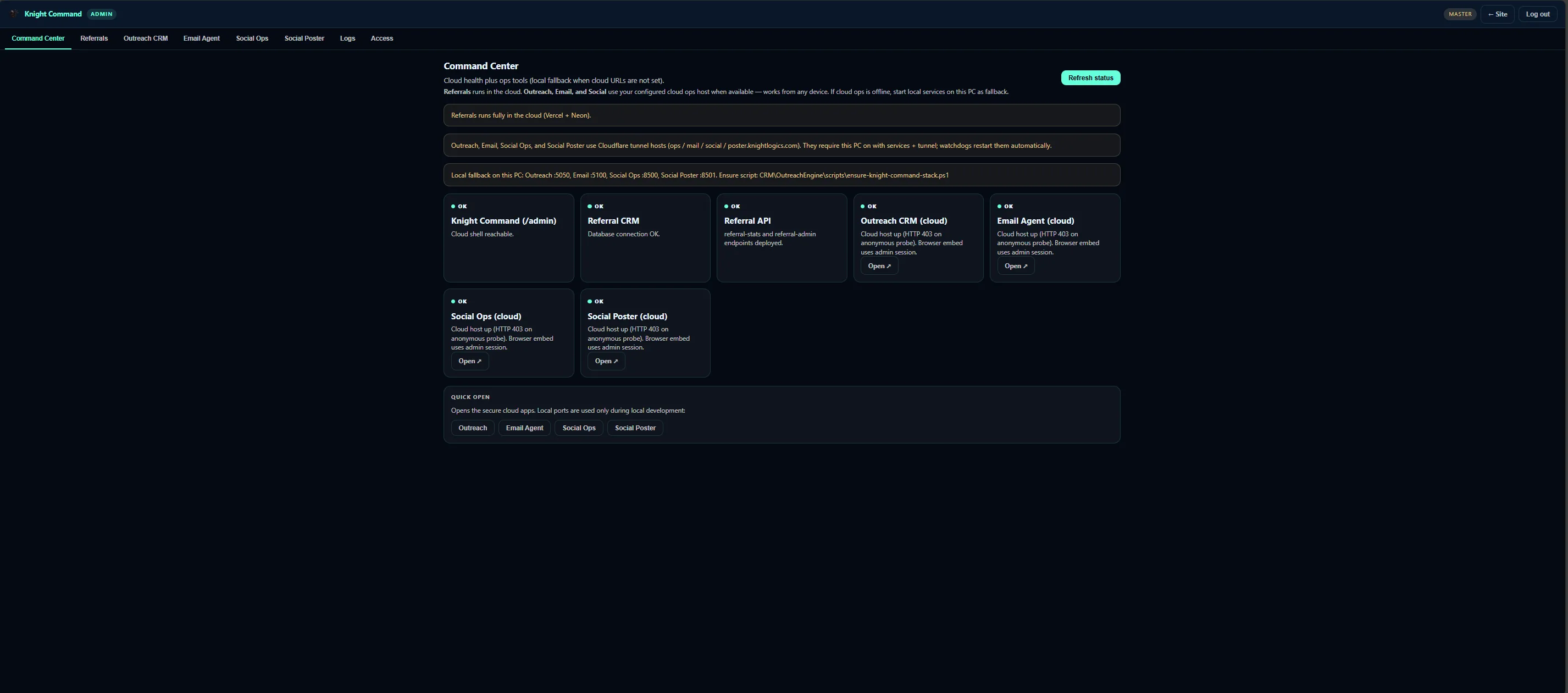
Multi-inbox routing deliverables — brand maps, view types, provider wiring, and operator runbooks.
CRM
Outreach replies land in dedicated CRM views for follow-up queues — paired with OutreachEngine send logs.
Explore CRM outreachLeads
Website form leads separated from campaign and personal traffic — webhook and IMAP intake.
Explore workflow triggersUnify
Business accounts unified with folder rules on port 5100 — Gmail, Zoho, or Microsoft per brand.
Brands
Knight Logics, Knight Group, and Screen Team lanes stay isolated — templates and credentials never cross.
Alerts
Push notify or auto-acknowledge when a high-fit lead replies — without living in email all day.
Hygiene
Delivery failures feed back to OutreachEngine before the next capped send window fires.
Verified Email-Agent screens from port 5100 — folder separation, brand maps, and CRM reply discipline. Not a generic “AI inbox” mockup.
Multi-inbox Brand-mapped folders
Morning review opens Email-Agent first: unread crm_reply count, then formspree_lead intake, then manual owner threads. Folders match the work — not one undifferentiated Gmail search across every brand you operate.
Provider → view Bounce loop
Formspree webhooks and IMAP inboxes fan into structured queues before anyone opens Outlook. Bounce and failure signals notify operators and suppress bad addresses in OutreachEngine — protecting domain reputation across daily send caps.
A clear path from inbox inventory to daily operator runbook — scoped to brands and providers you already use.
List accounts, brands, and who sends outreach from each — map KL, KG, ST, and any faithworks lane before wiring credentials.
Configure crm_reply, formspree_lead, and manual conversation paths — folder names that match how your office triages mail.
Connect Gmail, Zoho, or Microsoft inboxes with per-brand credential maps and webhook intake for Formspree forms.
Deploy on port 5100 with Knight Command Email Agent tab embed — mobile-readable triage layout for urgent replies.
Loop bounce signals to OutreachEngine list hygiene — document morning review order for every operator.
Business email ops outcomes when CRM replies and form leads stop living in personal Gmail.
Outreach responses reviewed daily from dedicated crm_reply views — not buried in a personal inbox until tomorrow.
KG replies do not appear in KL or ST mapped views by accident — templates and senders stay lane-isolated.
Operators see unread crm_reply count without searching Gmail labels — speed wins estimate-first trades.
Website intake in formspree_lead — separate from campaign noise and manual owner threads.
Bounce suppression before the next OutreachEngine send window — domain reputation protected across brands.
Campaign logging ties replies back to list and message variant — triage decisions are defensible.
Email-Agent proof via the OutreachEngine reply loop and Knight Command embed — inbox routing, not vague automation claims.
Flask SQLite CRM with kl, kg, st brand lanes — scheduler cadence and Email-Agent crm_reply routing on live client campaigns.
Unified /admin tabs for CRM, email, social, referrals, and logs — Email-Agent on port 5100 embedded beside outreach.
How CRM, Email-Agent, social, and dispatch lanes connect through Knight Command — link-out page for cross-lane ops.
Email-Agent as Lane 2 in the connected growth stack — website, outreach, inbox, social, referrals, and dispatch phased in.
crm_reply is for OutreachEngine campaign responses — replies to first_touch and followup sends. formspree_lead isolates website form intake from campaign and personal traffic. Manual threads stay in separate views so operators never hunt one mixed Gmail inbox.
Gmail, Zoho, and Microsoft are supported with per-brand credential mapping for KL, KG, ST, and faithworks lanes where active. Wire the accounts your team already uses — no forced provider swap.
No — it also routes Formspree and manual business threads. CRM reply management is one view among several. Website leads and owner conversations get their own queues.
Bounce and failure signals notify operators and feed back into OutreachEngine so bad addresses stop before the next send window. List hygiene is part of the inbox lane — not a separate spreadsheet task.
Business automation covers all production lanes — Knight Command, CRM, email, social, referrals, and dispatch. This page is the dedicated inbox-routing depth: port 5100, view types, brand maps, and bounce loops. AI business automation covers assistive drafts on top of these deterministic rules.
Port 5100 is reachable directly; Knight Command embeds it for single-sign-on operator workflow. Same routing rules either way.
Multi-brand Tampa Bay operators drowning in mixed inboxes — especially teams already running OutreachEngine who lose campaign replies in personal Gmail.
Scoped as inbox lane, CRM pairing, or full growth-system embed. See pricing or book a consult for a written estimate.
Tell us which brands, providers, and form paths you run — we will map crm_reply, formspree_lead, and manual routing rules for Email-Agent on port 5100.