Production ops lanes

Business Automation — Production Lanes, Not Vague “AI”

We respond to every lead quickly, automatically follow up, track where it came from, and show you what produced the booked job. The operator shell is Knight Command — outreach, inbox routing, social queues, referrals, and Google Business Profile scheduling in one place your team actually opens.

6 Production lanes in Knight Command
4 Brand-isolated outreach lanes
Live Deployed on Screen Team, Faith Works, Knight Group

One ops shell — not five bookmarks

Business automation fails when nobody opens the tool. Knight Command embeds the same CRM, Email-Agent, referral, social, and GBP queues running on live client brands — Flask schedulers, webhook routing, and Logs tabs that surface failures instead of silent gaps.

Lane 0 — Operator shell

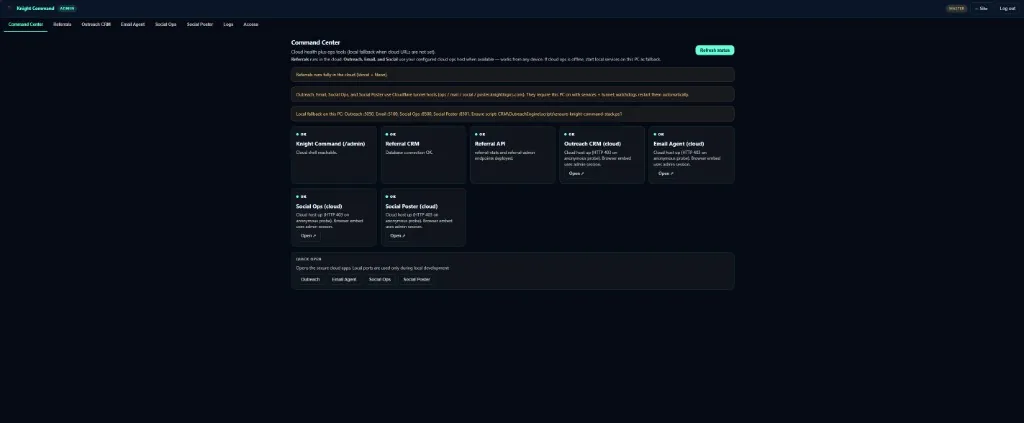
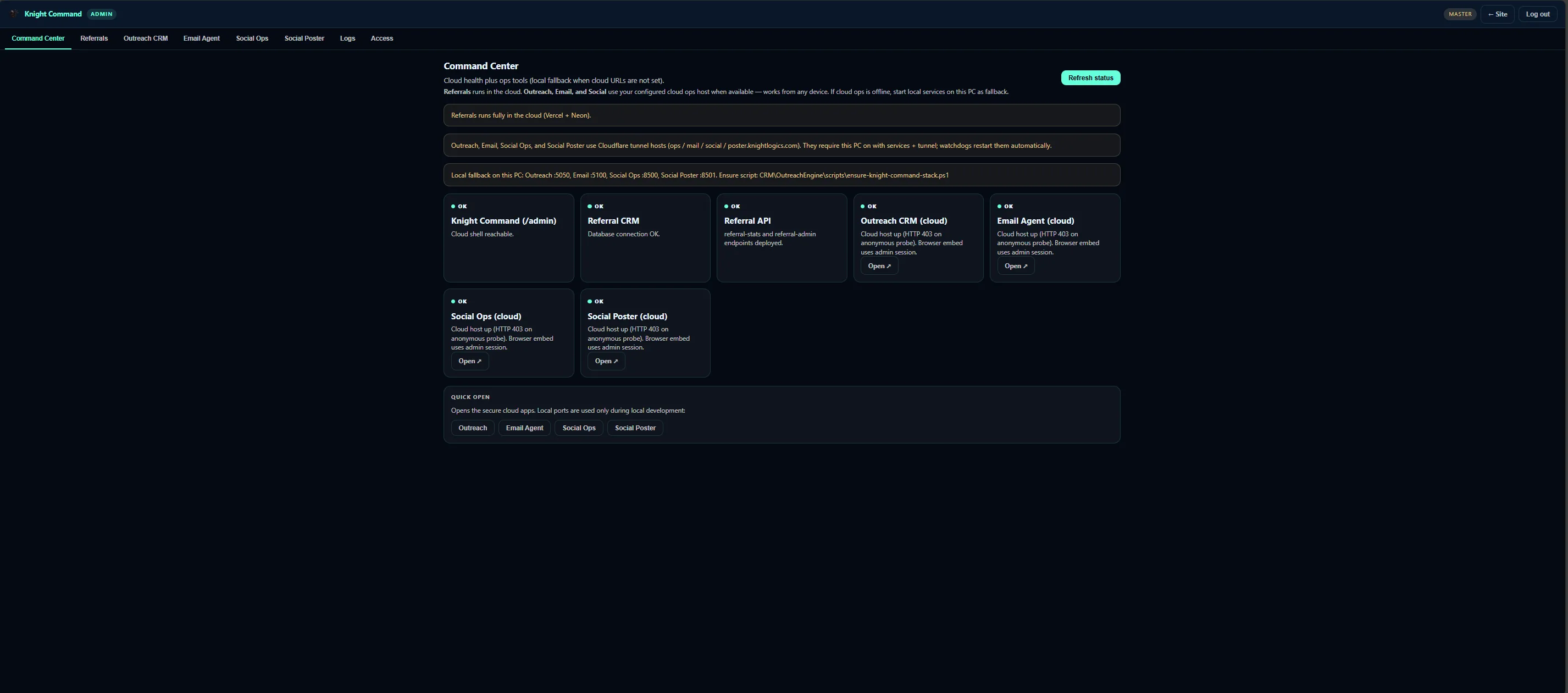
Knight Command — authenticated /admin for every production lane

Growth systems only work when your team opens them daily. Knight Command centralizes Command Center, Referrals, Outreach CRM, Email Agent, Social Ops, Social Poster, and Logs beside brand-isolated tabs — not separate logins per service.

  1. Embeds real UIs Each tab points at the live service — referral stack, Email-Agent, Social Poster — not screenshot mockups.
  2. Queue depth visible Operator review shows outreach caps, email backlog, and social last-success timestamps before send windows fire.
  3. Case study depth Full architecture documented on Knight Command case study →
Knight Command admin shell with outreach, referrals, email, and social tabs
Lane 1 — OutreachEngine CRM

Segmented lists, daily caps, and reply routing on live brands

OutreachEngine builds and scores local lists so send capacity goes to accounts that fit — property managers, complementary trades, HOAs, and estimate-first businesses tagged per brand lane.

  1. Lead grading High-fit names get priority inside daily send caps (typically 20–40) instead of burning domain reputation on noise.
  2. Brand isolation kl / kg / st / faithworks lanes keep templates, senders, and reputation separated — Screen Team never sends as Knight Group by accident.
  3. Operator queue Preview scored leads and next actions before the scheduler fires. CRM outreach page →

Autoplaying muted — use controls to unmute

Lane 2 — Email-Agent

Form fills and CRM replies land where your team will answer

Email-Agent sits beside Outreach in Knight Command. Website form submissions and CRM replies fan out to brand-mapped inboxes — with optional auto-acknowledgements or push notify when a lead is still hot.

  1. Brand-mapped routing Form leads and CRM replies go to the right company mailbox — not one buried personal Gmail thread.
  2. Folders that match the work Inbox, Form Leads, CRM Replies, CRM Sent, and Manual Sent keep campaign mail separate from day-to-day ops.
  3. Speed options Optional after-hours auto-acknowledge, or push notifications while the prospect is still comparing vendors. Email-Agent page →

Autoplaying muted — use controls to unmute

Lane 3 — Social Poster & GBP

Queue posts across brands — and know when something fails

Social Poster is the scheduling queue your team opens: content per brand, posting windows, and last-success timestamps. GBP scheduler keeps map-pack messaging current alongside site campaigns.

  1. Per-brand queues KL, KG, ST, and faithworks stay isolated — credentials and content never cross accounts.
  2. API + browser runners X and Facebook post via API; LinkedIn and Nextdoor use Playwright where APIs fall short.
  3. Visible failures Misses surface in the queue and Logs tab — not a silent week-long gap. Social automation →
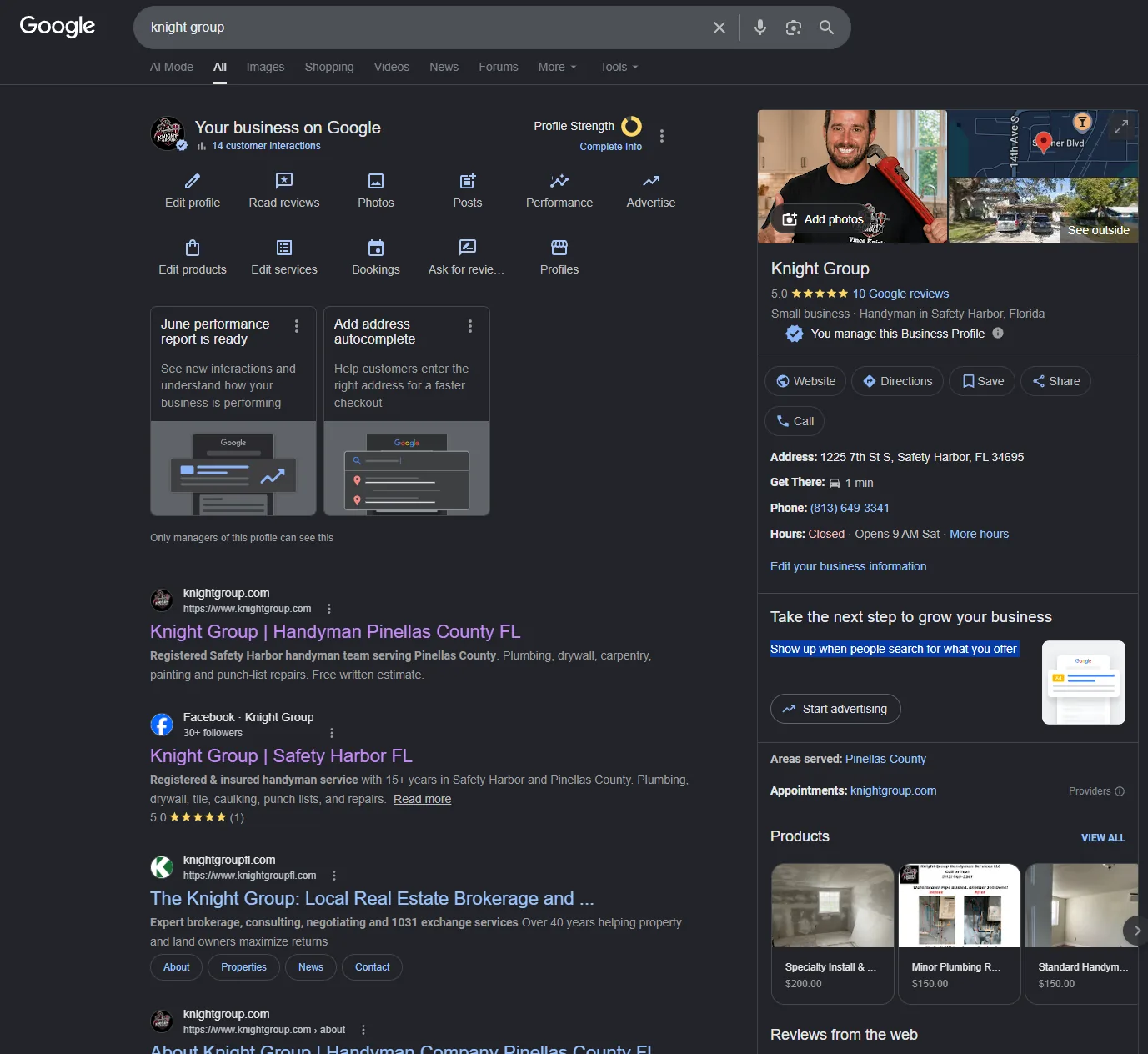
Google Business Profile scheduler and post queue
Lane 4 — Referral dashboard

Track partner leads, QR paths, and payouts in one dashboard

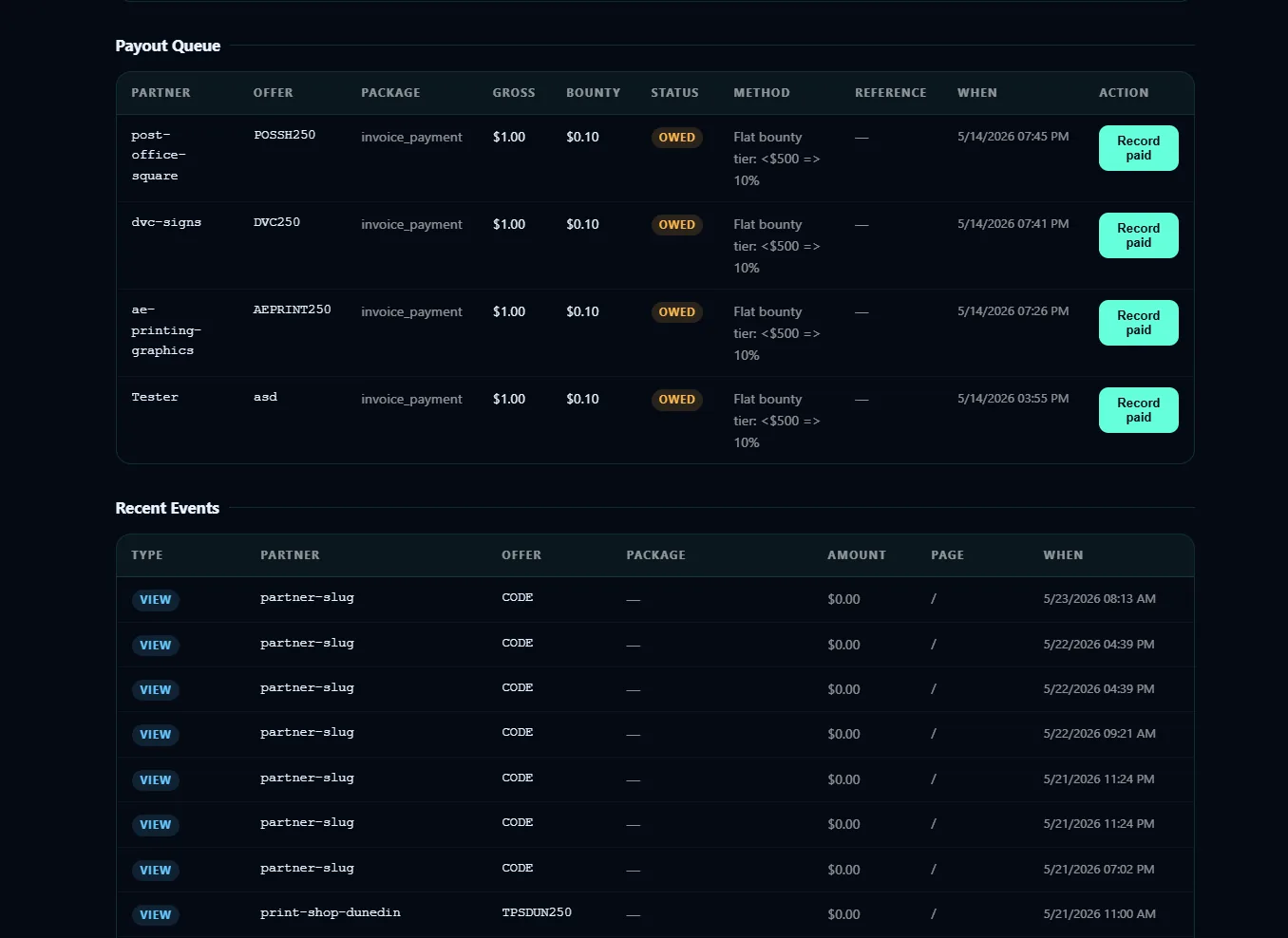
Referral tracking turns word-of-mouth into attributed pipeline — unique /ref/:partner links, QR brochure scans, and a partner dashboard that shows earned vs paid without spreadsheet disputes.

  1. Attribution paths Partner codes and QR brochures attribute form fills and consults to the right trade before anyone argues about who sent the job.
  2. Settlement loop Neon Postgres events plus Stripe webhooks keep payouts tied to real booked work. Referral systems →

Autoplaying muted — use controls to unmute

Lane 5 — Field dispatch (optional)

Mobile job photos → composites → gallery, social, and invoice

KG Dispatch (Handyman Ticket Manager) is the field ops layer behind Knight Group — crews upload before / process / after shots per scope; admins assign contractors and close jobs into Stripe from dispatch.knightlogics.com.

  1. Scoped photo capture Before / process / after uploads per ticket — completing a job exports proof automatically.
  2. Marketing without re-upload Branded composites publish to the website gallery and fan social-ready JPGs into the kg Social Poster queue.
  3. Close the money loop Weekly Stripe invoices, payment links, and contractor My Jobs views in one shell. Job workflows →

Autoplaying muted — use controls to unmute

Production UIs — not prototype demos

Verified captures from Knight Command, OutreachEngine, and Email-Agent running on live client brands.

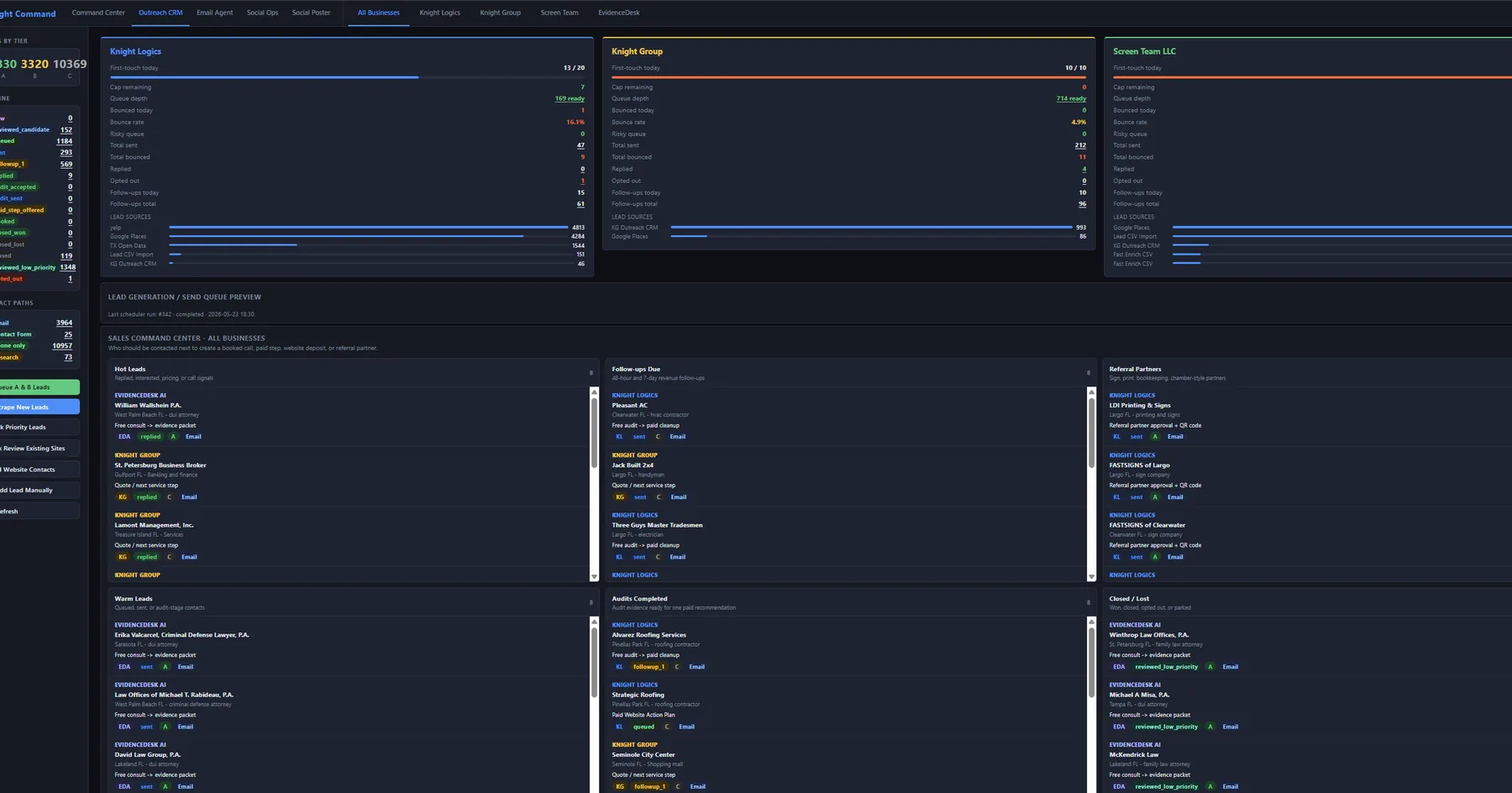
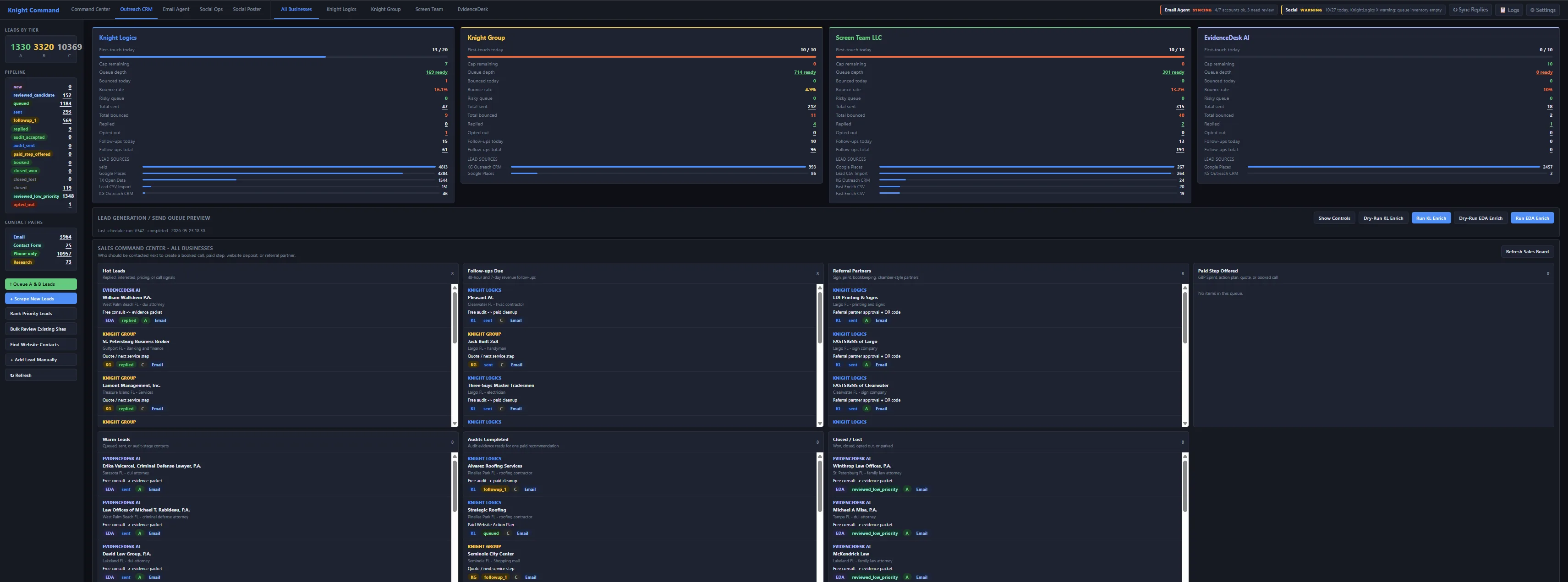
OutreachEngine CRM queue with brand switcher and send caps

CRM lane Lists → sends → replies

Outreach CRM with caps and bounce discipline

Segmented prospect lists, daily send limits, and reply routing live in one operator view — scheduled sends, bounce suppression, and Email-Agent reply routing for Screen Team, Faith Works, and Knight Group campaigns.

  • Brand-separated inboxes and template lanes
  • Send caps and suppression lists enforced in-app
  • Reply events routed back to the right pipeline
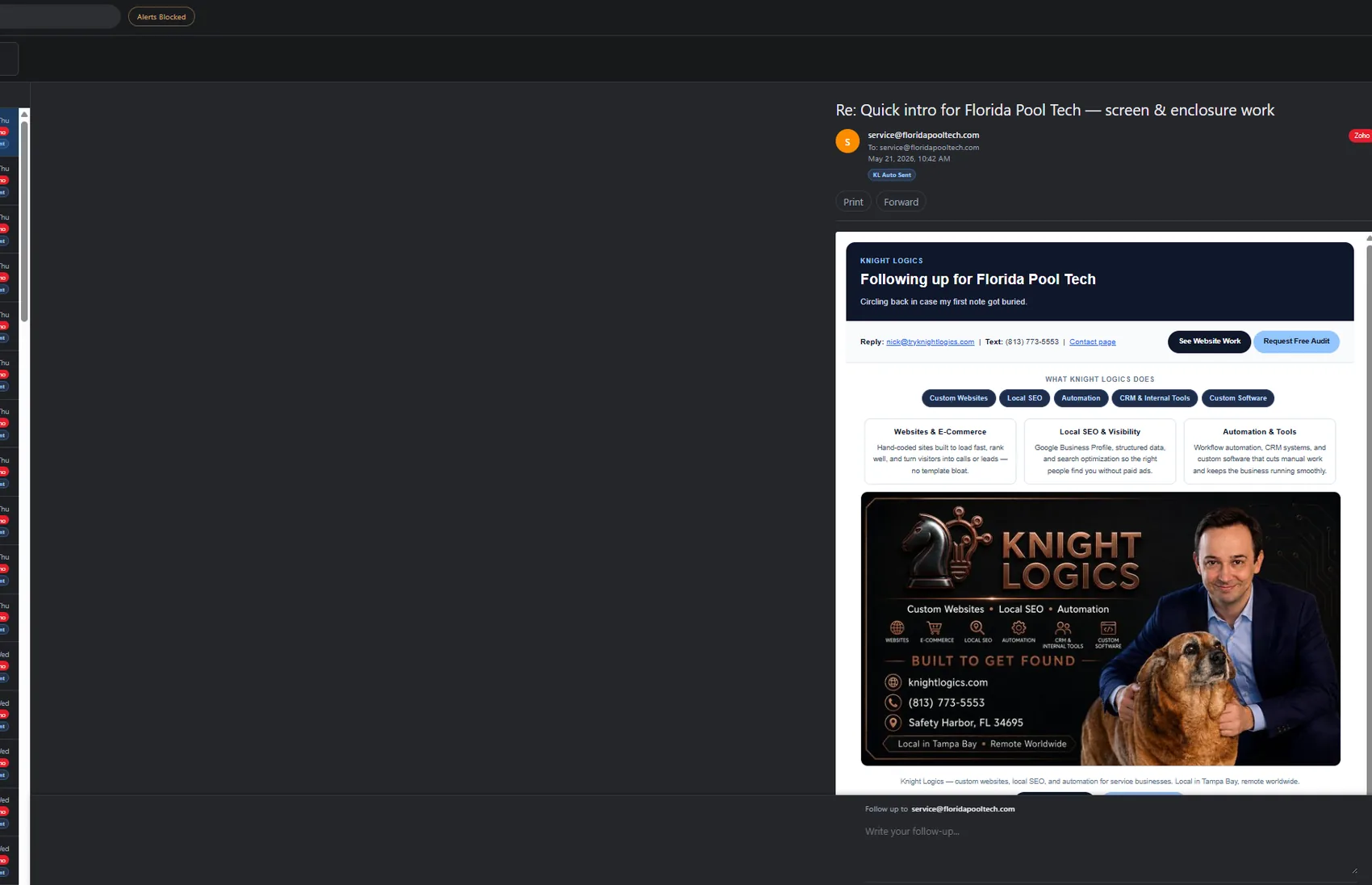
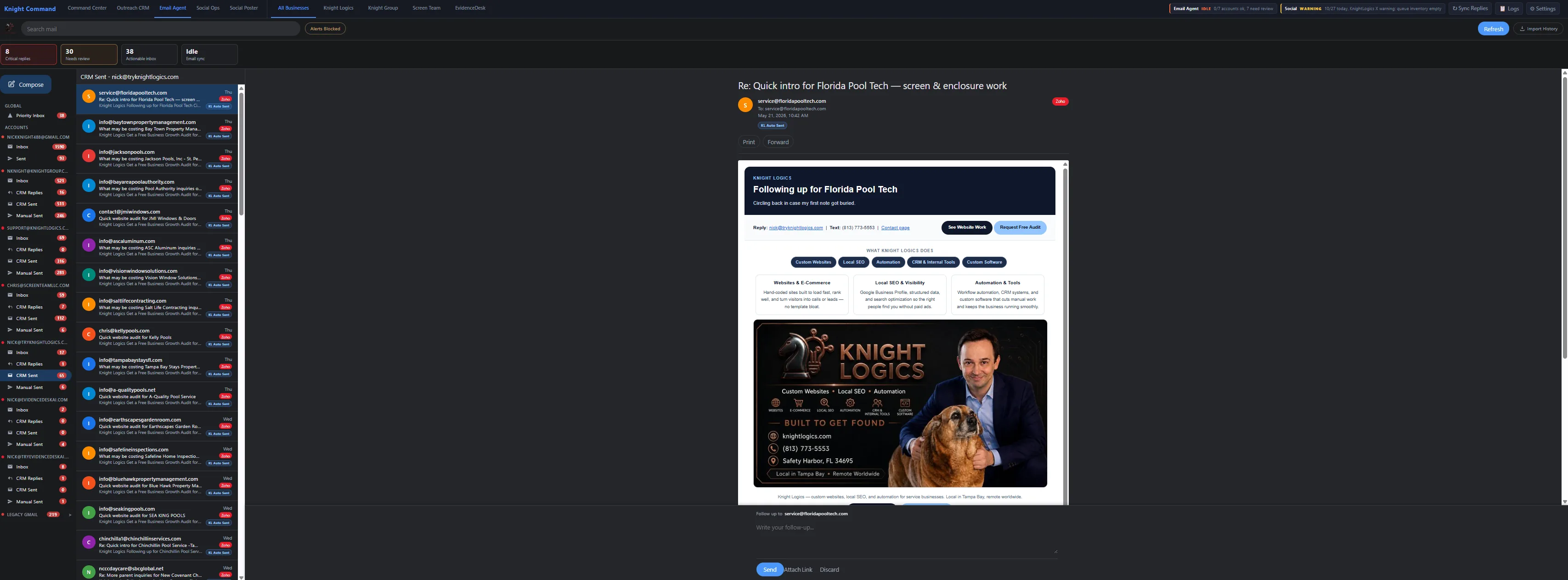
Email Agent routing dashboard — business inbox automation

Inbox routing Forms → CRM → humans

Email-Agent — brand-aware inbox automation

Formspree leads, CRM replies, and manual threads get separated by brand before anyone opens Outlook. Failures surface in logs — not silently dropped in a shared inbox.

  • Webhook and IMAP triggers into structured queues
  • Auto-responses scoped per brand — not one generic template
  • Operator handoff when a thread needs a human

Custom automation & API builds

Beyond growth-system lanes — scoped one-time builds for workflows your team repeats weekly.

Integrate

API integration & connectors

REST APIs, webhooks, OAuth flows, and data pipelines that sync the tools you already use — no forced platform swap first.

Build

Custom internal tools

Dashboards, admin panels, batch processors, and CLI tools for your exact workflow — not generic SaaS seats.

Data

Pipelines & sync

Scheduled reporting, CSV/JSON pipelines, supplier feeds, and cross-platform sync with logging and replay.

Assist

AI where rules are clear

Draft assistance, classification, and summarization scoped to real ops — send caps and brand maps stay deterministic. See AI business automation →

How we build it

Automation that runs in production requires scoped design — not a fire-and-forget script.

1

Workflow audit

Map manual steps, find bottlenecks, and agree on what “done” looks like before writing code.

2

Scope & design

Architecture: script, service, scheduled job, or Knight Command embed. APIs and data flow documented first.

3

Build & test

Python or JavaScript automation with error handling, logging, and replay capability built in.

4

Staging run

End-to-end test with realistic data in a safe environment — edge cases validated before production.

5

Deploy & hand off

Live deployment, monitoring setup, and documentation so you can run and modify the system.

Related proof & examples

Live automation artifacts and shipped systems — growth lanes first, custom builds second.

Common questions

How much does business automation cost in Tampa Bay?

One-Time Automation Build is scoped from $500–$10,000+: simple workflows are typically $500–$1,500, integrated builds are $1,500–$5,000, and custom builds are $5,000–$10,000+. Ongoing managed Growth Systems are priced separately as setup plus monthly service.

Is this the same as “AI automation”?

This page covers production ops lanes — Knight Command, OutreachEngine, Email-Agent, social queues, referrals, and optional dispatch. Assistive AI drafts and triage live on AI business automation with deterministic caps and brand maps underneath.

What systems can you connect or automate together?

CRMs, forms, email platforms, Google Workspace, spreadsheets, payment systems, supplier feeds, internal dashboards, and third-party APIs — scoped around tools you already use instead of forcing a platform change first.

How long does an automation project usually take?

A focused single workflow can often be scoped, built, and tested in one to two weeks. Larger systems with multiple APIs, dashboard interfaces, or Knight Command embeds take longer. Clear workflow scope before build-out is the biggest time saver.

What kinds of tasks can actually be automated?

Repetitive data entry, report generation, lead routing, email follow-up, invoice processing, file organization, API-to-spreadsheet syncs, scheduled alerts — if your team does the same thing manually more than a few times a week, it is a candidate.

Do I need a developer on staff to maintain it after launch?

No. Every automation ships with documentation and, where practical, configurable settings you can adjust yourself. For complex systems, a periodic maintenance check keeps everything running without a full-time hire.

What tools do you build automations with?

Python scripts, REST APIs, Google Workspace, webhook pipelines, cron/Task Scheduler jobs, Flask services, and custom-built systems depending on what fits. The right tool is whatever runs reliably — not whatever is trendy.

Do you work with businesses outside Tampa Bay?

Yes. Tampa Bay is the primary local service area, but automation projects can be delivered remotely. Local targeting helps regional discovery; it does not limit who can hire Knight Logics.

What is Knight Command vs a one-off script?

Knight Command is the authenticated operator shell that embeds live growth-system services in one login. One-off scripts solve a single workflow; Knight Command is for teams running outreach, email, social, and referrals daily across brands.
Scoped by lane — one-time build, growth-system embed, or full ops stack. See pricing or book a consult for a written estimate.

Ready to stop doing it manually?

Tell us what breaks weekly, which tools you already use, and whether you need a one-off workflow or a Knight Command lane. A 20-minute call is enough to scope fit.

Start the Conversation