Outreach
CRM draft assist
Graded lists, template drafts, and reply surfacing inside OutreachEngine queues.
Assistive AI where rules are clear — draft outreach replies, triage CRM inboxes, summarize queue health — wired across OutreachEngine, Email-Agent, and Knight Command. Send caps, brand maps, and approval gates stay deterministic. This is the buyer-facing lane; production port maps and embed architecture live on Business Automation.
Business Automation documents ports, embeds, and production services. This page is for buyers asking “where does AI actually save time in my business?” — answer: graded outreach lists, faster inbox triage, queue summaries during morning review, and social draft assistance — all inside Knight Command with logs operators trust.
OutreachEngine builds and scores local lists so send capacity goes to accounts that fit. AI can draft first_touch and followup copy, suggest tier adjustments, and surface high-fit replies — but daily send caps (typically 20–40 per brand lane), bounce suppression, and kl/kg/st/faithworks isolation remain rule-backed. Screen Team never sends as Knight Group by accident.
Autoplaying muted — use controls to unmute
Email-Agent on port 5100 routes website form submissions and outreach replies to brand-mapped inboxes. AI assists sorting into Form Leads, CRM Replies, and Manual Sent folders; drafts auto-acknowledgements for after-hours coverage; and flags hot threads for push notify — while brand maps and mailbox routing stay deterministic.
Autoplaying muted — use controls to unmute
Knight Command is the authenticated /admin shell where automation lanes embed as tabs — Command Center, Outreach CRM, Email Agent, Social Poster, Referrals, and Logs. AI-assisted summaries can condense queue depth, last-success timestamps, and failure counters into operator-readable morning briefs — but each tab still points at the live production service, not a demo dashboard.
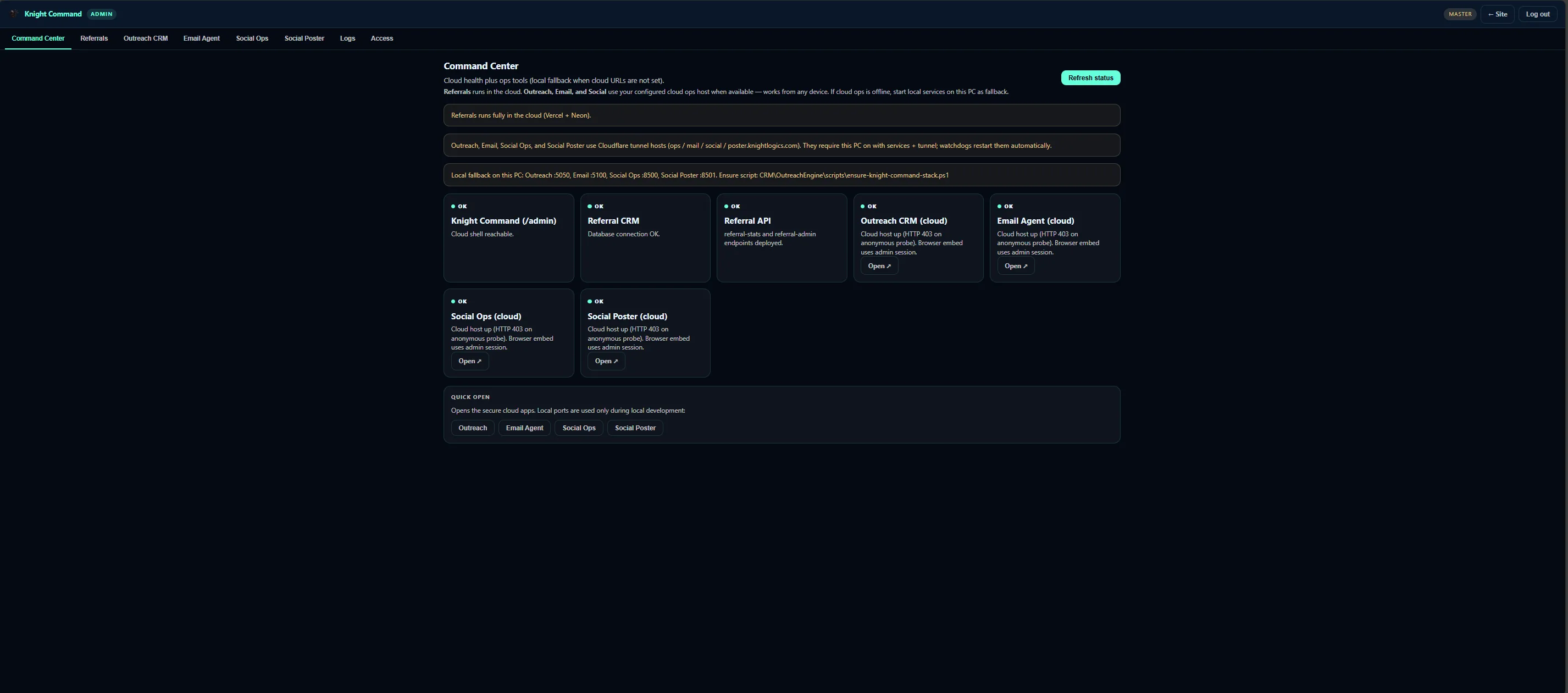
Generic AI demos hallucinate on job details and bypass approval steps. Useful business automation needs guardrails: AI drafts and sorts inside queues humans already open; OutreachEngine caps, Email-Agent brand maps, bounce suppression, and customer-facing replies stay rule-backed with explicit approval where brand risk is high.
AI business automation compounds when lanes connect: Social Poster draft assistance on port 8501, field dispatch photo summaries from KG Dispatch, referral attribution from /ref/:partner paths. Each sub-lane has its own depth page — we wire only what your team will run weekly.
AI-assisted automation scoped to lanes with clear rules — not open-ended “AI transformation.”
Outreach
Graded lists, template drafts, and reply surfacing inside OutreachEngine queues.
Inbox
Form and CRM reply sorting with optional auto-acknowledge paths.
Review
Morning briefs across outreach, email, social, and referral depth in Knight Command.
Safety
Send caps, brand maps, approval gates, and Logs-tab failure visibility.
OutreachEngine, Email-Agent, and Knight Command running on live Tampa Bay brands — assistive AI inside queues operators already open.
Ops hub Knight Command · one login
AI-assisted morning review only works when lanes live in one authenticated shell. Knight Command centralizes OutreachEngine, Email-Agent, referral dashboards, and Social Poster queues — queue depth visible before send windows fire.
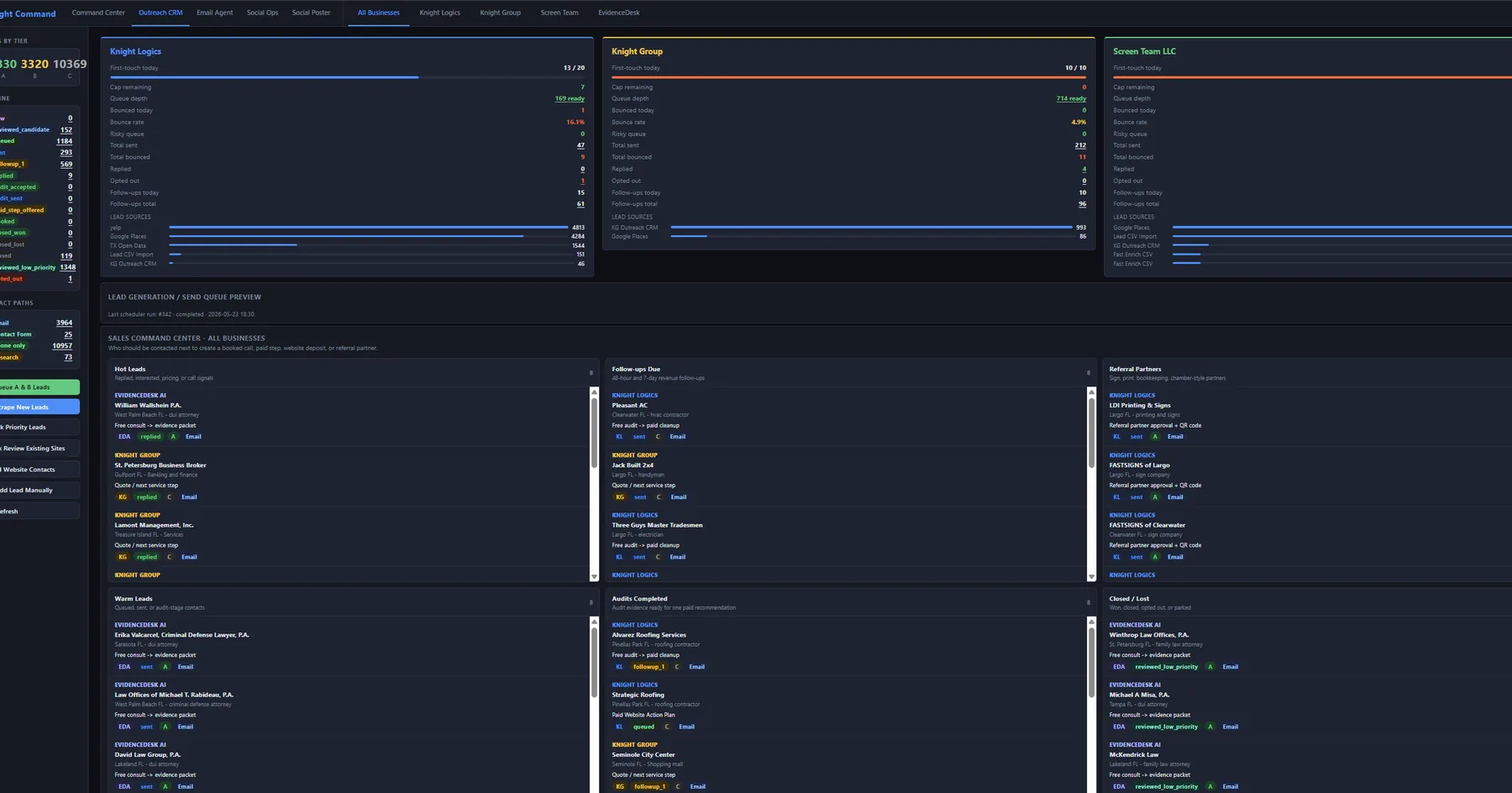
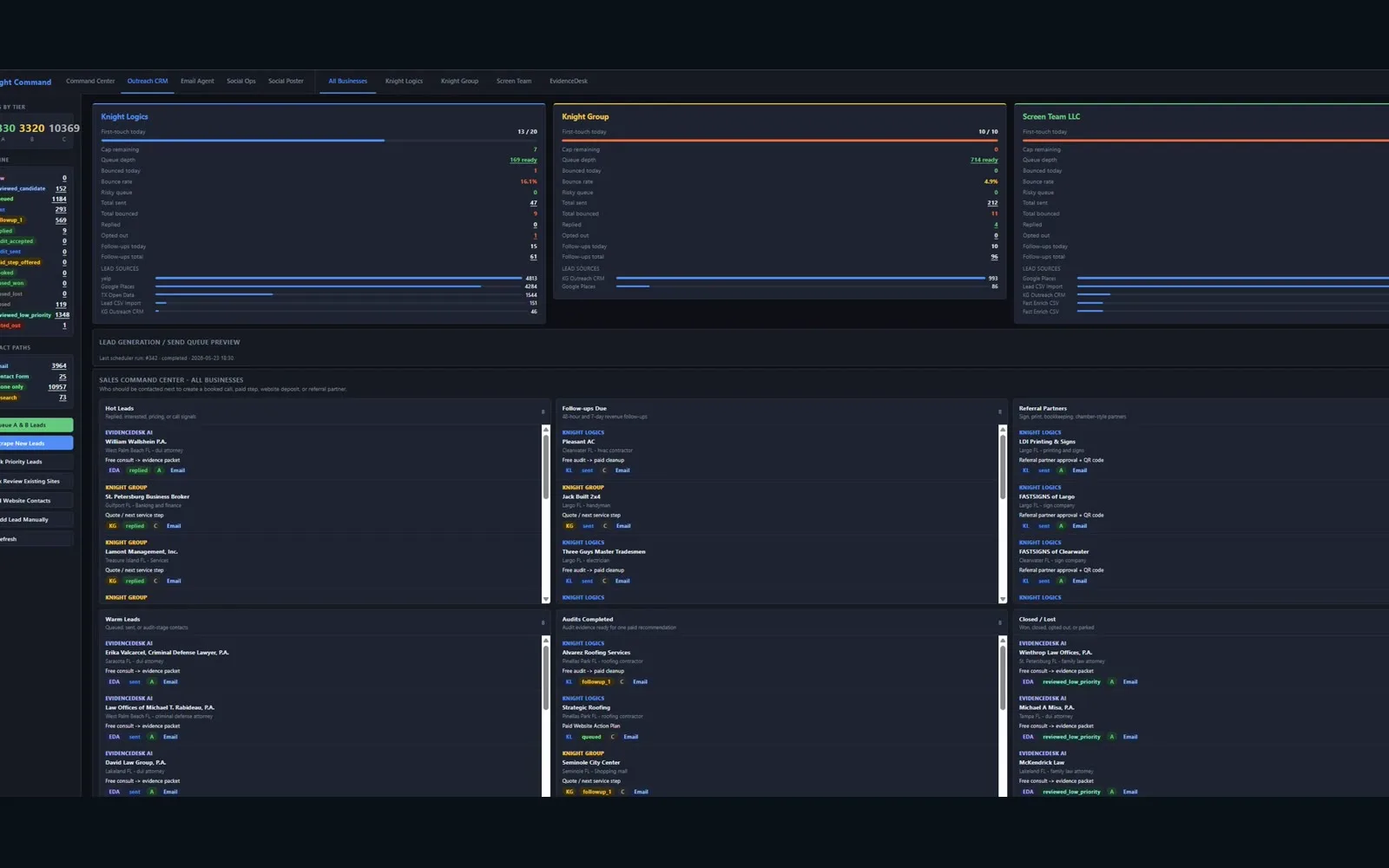
Lead lane OutreachEngine production UI
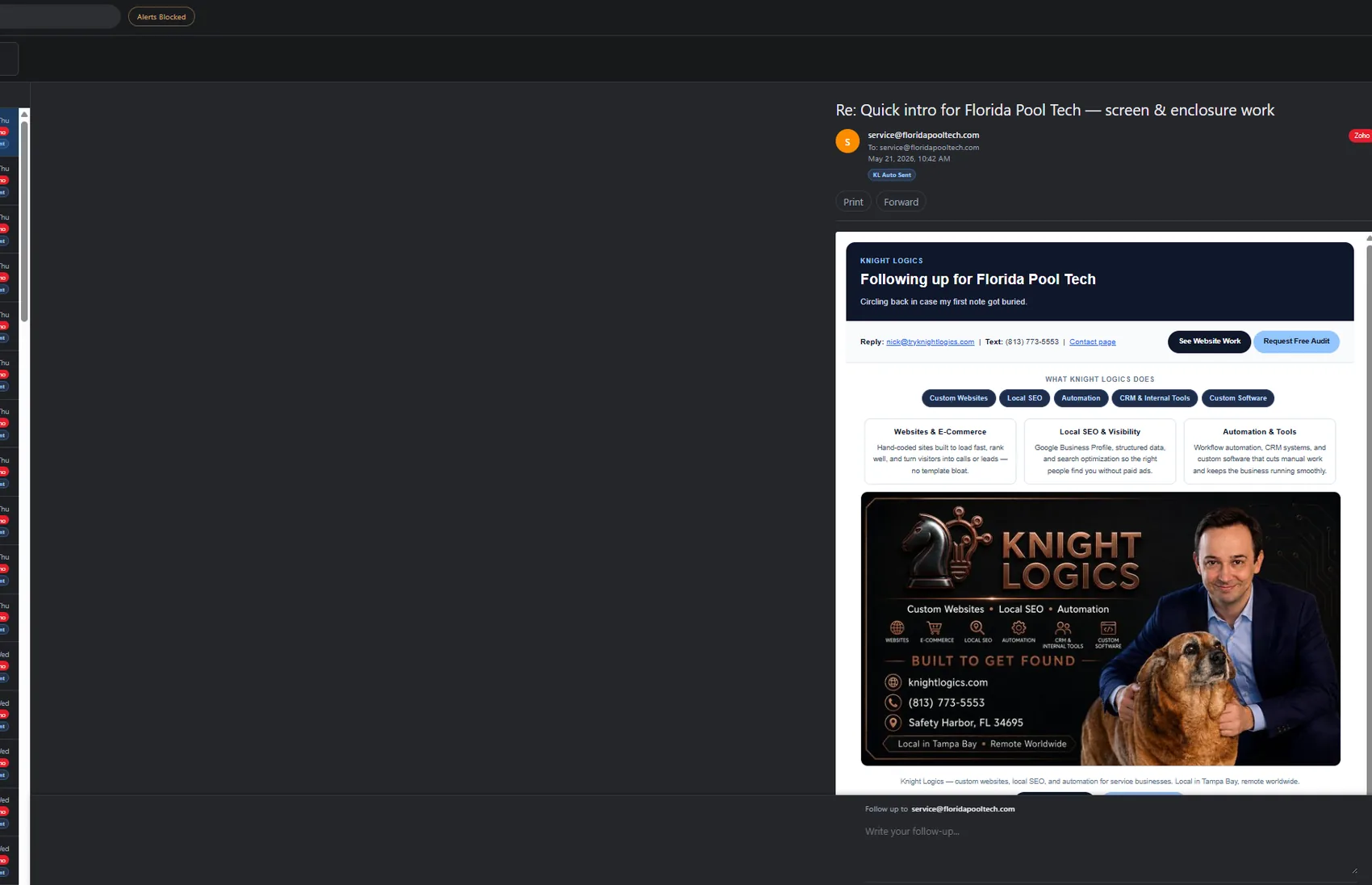
The CRM outreach video runs on this stack — Flask + SQLite scheduler, bounce suppression, and Email-Agent crm_reply routing. AI assists drafts and grading suggestions; caps and brand isolation stay deterministic.
Inbox lane Email-Agent · port 5100
Website submissions and outreach replies fan out to the right company mailbox. AI assists sorting and draft responses; brand maps and folder structure stay rule-backed — Email-Agent page →.
Phased automation — wire lanes your team will open daily, expand after the morning review loop is trusted.
Identify high-volume steps with clear rules and low customer-facing error cost.
CRM outreach, Email-Agent, or Knight Command first — based on where time leaks today.
Approval steps, caps, brand maps, and failure alerts before assistive features go live.
Production services in one shell — operators stop juggling localhost bookmarks.
Review time saved vs errors monthly; add social, field, or referral lanes when daily queues are trusted.
Business process outcomes where AI assists and deterministic rules still own high-risk sends.
Form fills and CRM replies surface in the right folder — not buried in personal Gmail.
Services embed in Knight Command instead of orphan localhost bookmarks.
Outreach and customer replies respect caps and approval where brand risk matters.
Broken automations surface same day in ops logs — not when customers complain.
Automation proof from Knight Command embeds and production lane UIs — not chatbot demos.
Unified /admin tabs for CRM, email, social, referrals, and logs on ports 5050–8501.
Graded lists, daily caps, and reply routing on live client brands.
Form and CRM reply routing with triage assist and optional auto-acknowledge.
Business Automation is the ops hub — ports, embeds, GBP scheduler, referral dashboard, and full lane architecture. This page is the buyer angle: where AI-assisted automation saves time across CRM outreach, Email-Agent, and Knight Command morning review.
AI assists drafts, sorting, and queue summaries. Send caps, brand maps, bounce suppression, and customer-facing replies stay rule-backed with human approval where brand risk is high.
No — we automate defined ops steps with logging and integrations to OutreachEngine, Email-Agent, and Knight Command. Customer-facing AI is scoped only with explicit guardrails.
OutreachEngine (5050), Email-Agent (5100), Social Poster (8501), referral events, and custom job trackers — depending on your stack. See linked depth pages for each lane.
Tampa Bay operators drowning in inbox triage or queue review — ready to invest in assistive automation with guardrails, not companies shopping for a novelty chatbot.
Scoped per lane after a process audit — you pay for wired triggers and monitoring, not an unbounded AI retainer.
Describe repetitive triage and queue review — we will scope assistive hooks across CRM, email, and Knight Command with safe guardrails.
Request a Consultation