


Intake
Ticket intake queue
Vendor portal tickets, email intake, or manual job creation routed into one workflow queue with assignment rules.
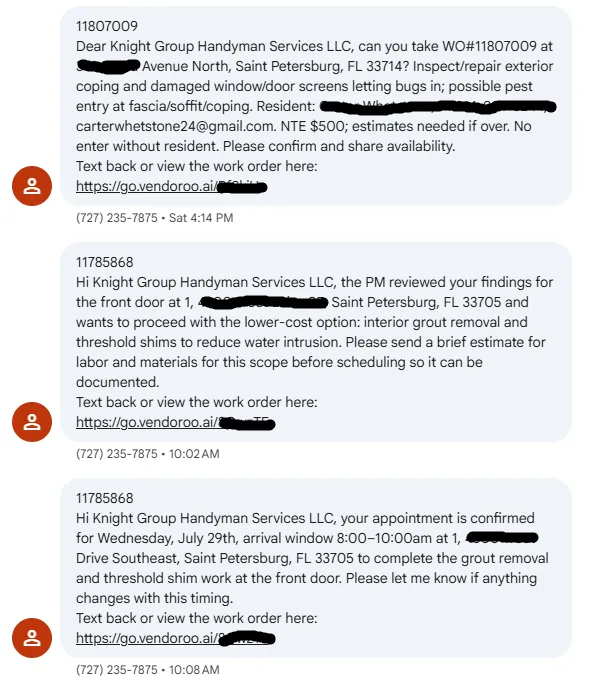
OutreachEngine sends to leads every day. One CRM reply became a portal vendor relationship that now floods the phone with work orders — so we built the mobile ticket → photo → invoice path that keeps up.
Daily OutreachEngine sequences book consults and open doors. One reply in that CRM lane became a Vendoroo / property-manager relationship — and that single client alone now generates the bulk of Knight Group’s portal work orders, SMS dispatches, and weekly invoice packs.
The ticketing stack exists because outreach worked: one won lead created enough recurring volume that camera rolls and spreadsheet invoices could not keep up. Handyman Ticket Manager is the ops layer that reply forced us to build.
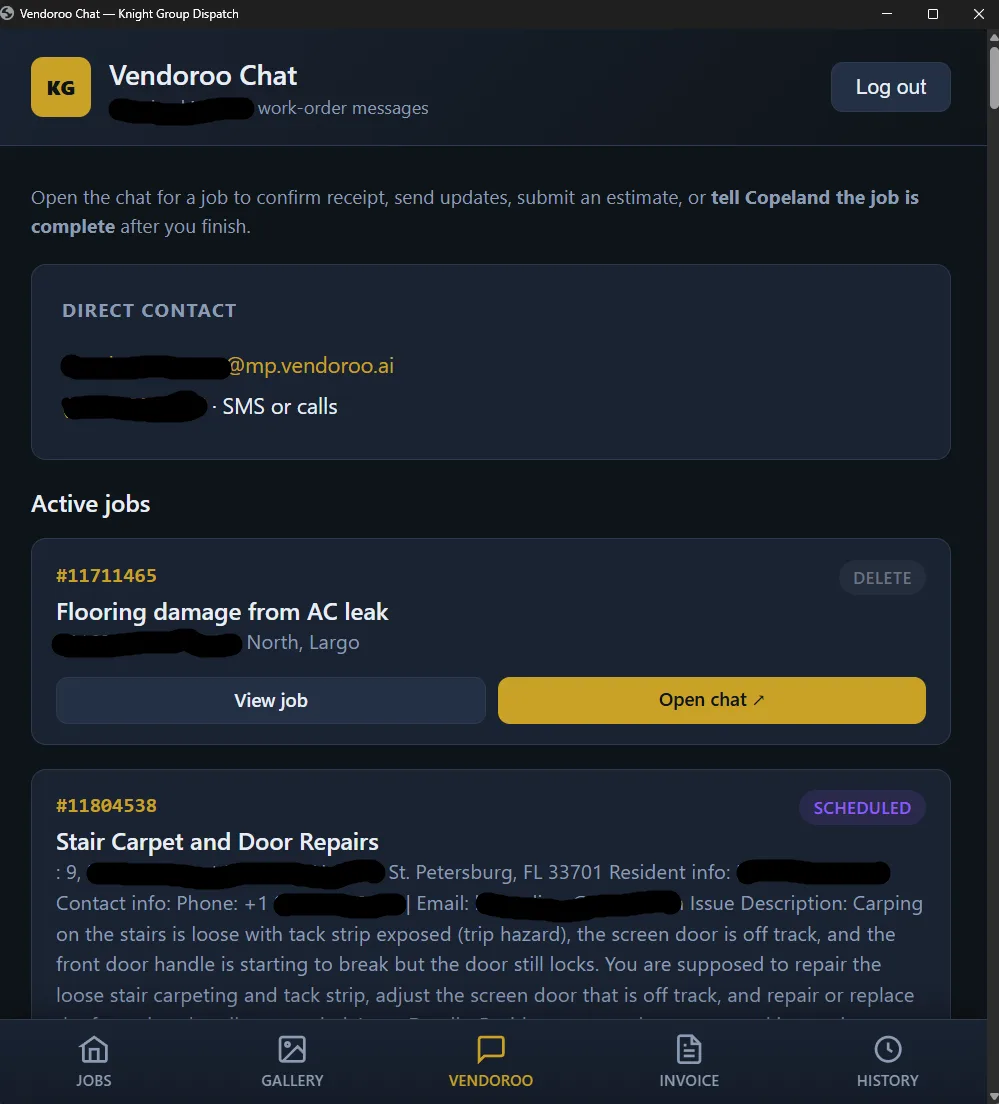
KG Dispatch mobile app — ticket queue, field photos, and closeout
We run OutreachEngine to leads every day. One of those CRM responses turned into an ongoing portal client — work orders now arrive as Vendoroo texts (and emails) with deep links, NTE caps, and schedule windows. One relationship; continuous volume.
Built from live Knight Logics workflows — not generic agency checklists.
Intake
Vendor portal tickets, email intake, or manual job creation routed into one workflow queue with assignment rules.
Field
Status changes, notes, and crew assignment visible from phone or tablet on site.
Proof
Field photos tied to job ID — not lost in personal camera rolls.
Reports
Branded completion packets with photos and notes for portals and property managers.
Billing
Direct jobs: email / SMS / QR / card pay links on completion. Weekly vendor jobs: per-property Stripe drafts plus a photo-backed service-report PDF.
Owner view
Open jobs, overdue invoices, and bottlenecks on an owner dashboard.
Handyman Ticket Manager exists because one OutreachEngine win turned into a portal client that never stops sending work. Mobile queue, photo scopes, and weekly Stripe + service-report PDFs keep that volume billable instead of buried in texts.
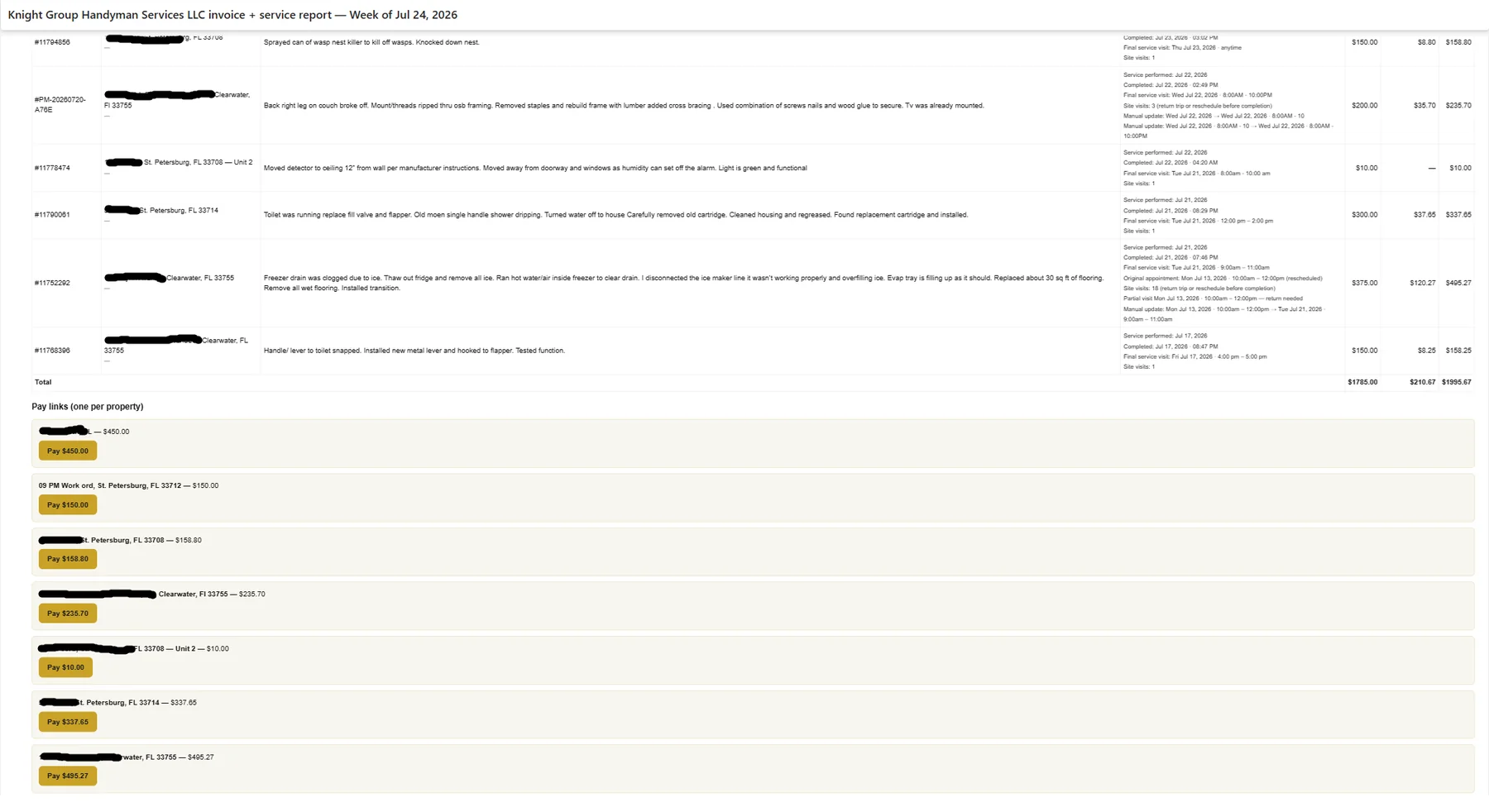
Direct jobs collect on completion via text, email, QR, or card. Weekly portal work batches into per-property Stripe invoices — with a separate service-report PDF covering notes and before / process / after photos.
What ships when we scope Ticketing, Invoicing & Job Workflows for your trade, territory, and operator workflow.
Daily OutreachEngine sends. One CRM reply became a Vendoroo client. That one relationship now fills the queue with SMS work orders — Handyman Ticket Manager turns them into photos, weekly invoices, and Stripe pay links.
Mobile app Job record → paid invoice
Crews work the queue on phone. Admins assign and close from dispatch. Direct jobs pay immediately; portal / weekly vendor work ships Stripe invoices plus a photo-backed service-report PDF — same CRM record either way.
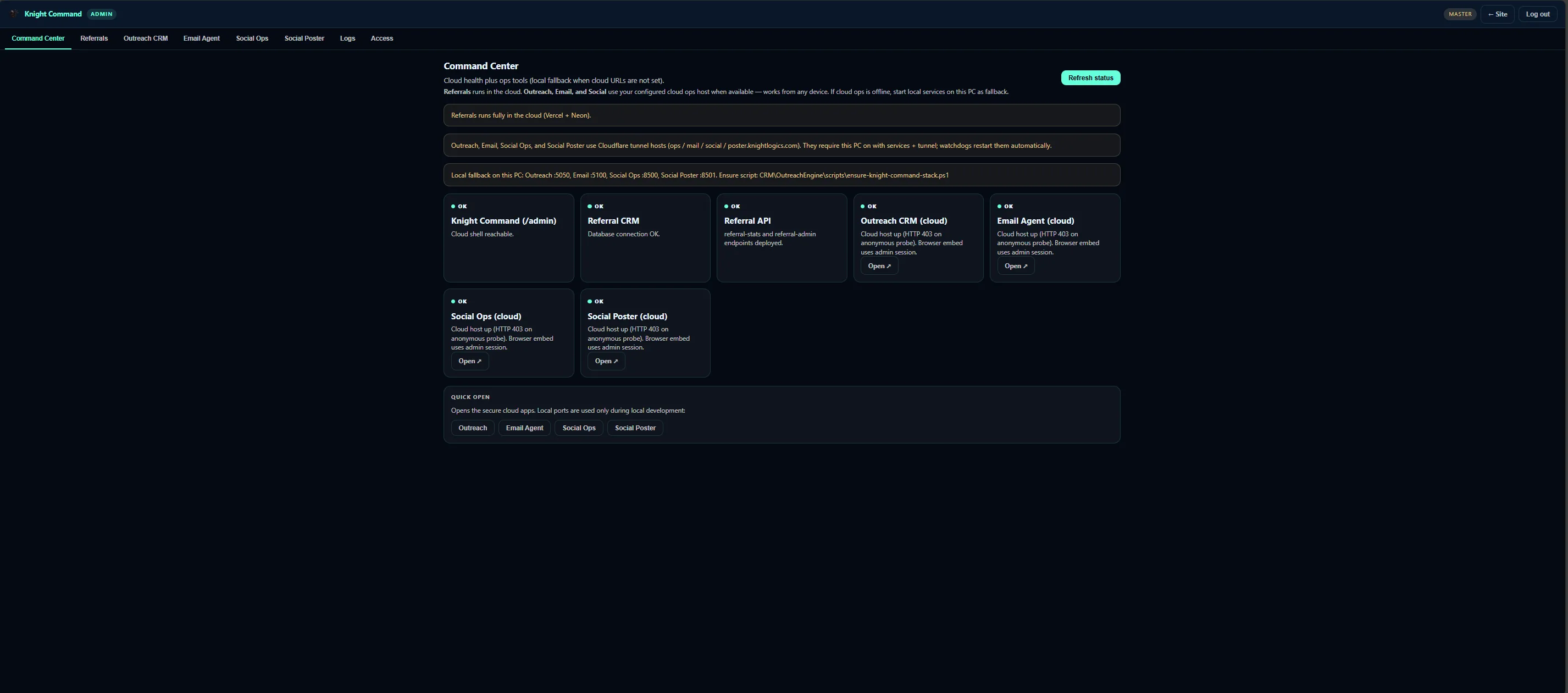
KG Dispatch Handyman Ticket Manager
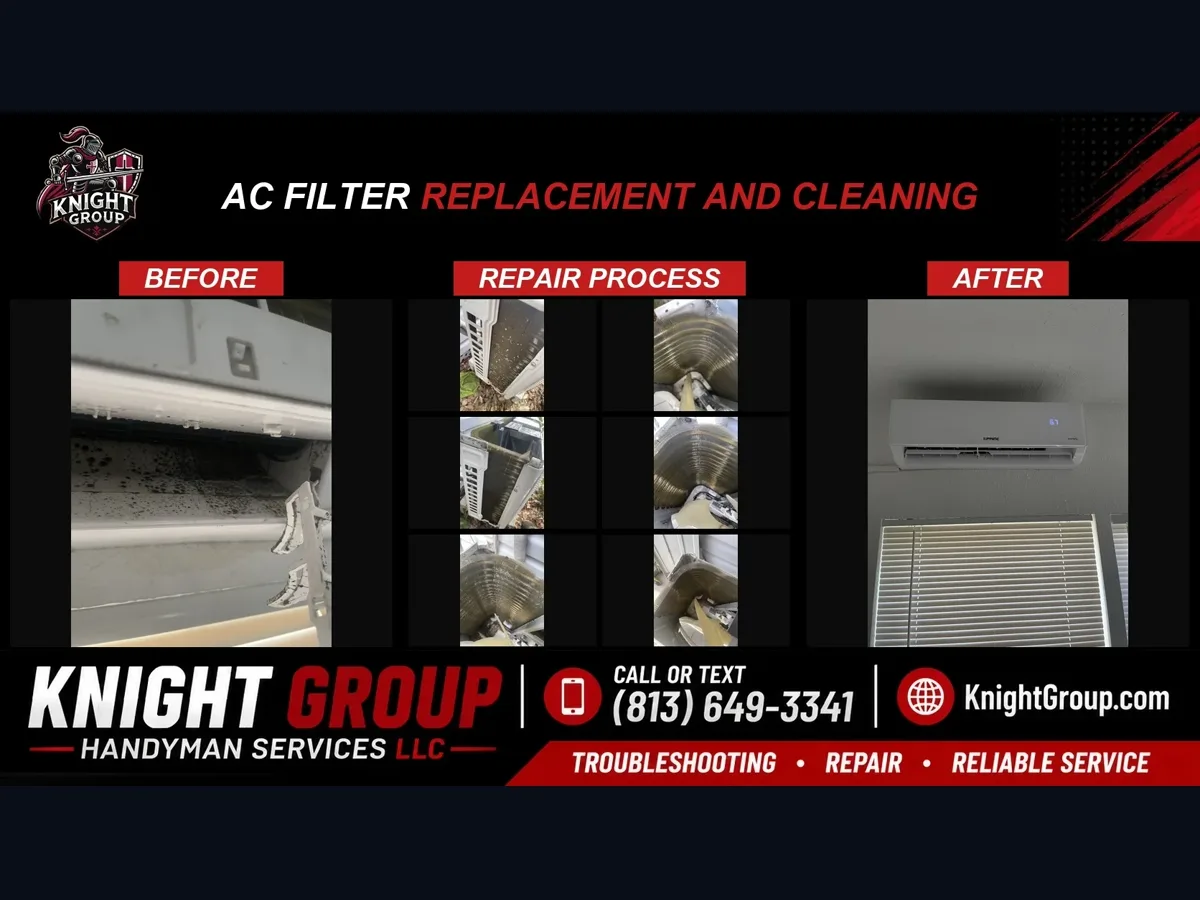
Knight Group crews upload before, process, and after shots per scope from the mobile app. Admins assign contractors and close jobs in Handyman Ticket Manager — immediate pay for direct customers, weekly Stripe + service-report PDF when portal vendors (Vendoroo and similar) feed the queue.
Closeout Email summary + PDF packet
When that portal client’s week closes in Handyman Ticket Manager, one HTML email goes out with the job table and Stripe pay buttons — plus a compressed service-report PDF. One CRM reply’s worth of relationship; a full week of billable work in one packet.
OutreachEngine is how the client arrived. The mobile field app and closeout lanes are how that one relationship stays operable when work orders never stop.
A clear path from intake to launch — scoped to what your team will actually use.
Document how tickets arrive — portal, email, phone — and what fields crews need on site.
Status steps, photo requirements, and assignment rules your field team will actually follow.
Weekly service-report PDF (cover totals + per-job photos/notes) sized for email, plus Stripe pay links per property.
Immediate email / SMS / QR / card pay on direct jobs; weekly per-property Stripe drafts and photo-backed service-report PDFs for vendor work.
Results Ticketing, Invoicing & Job Workflows is designed to produce for owners who review queues weekly — not vanity dashboards.
Office staff stops copying ticket details into side systems and rebuilding invoices from scratch.
Photo proof visible before invoice goes out — reducing billing lag after job completion.
PDF packets structured for manager upload formats — fewer rejections on proof.
Paid status syncs back to the job record instead of living only in Stripe.
Property maintenance vendors working through portal tickets
Field crews that need mobile proof without a heavy FSM platform
Owners tired of rebuilding invoices after every completed job
Subcontractors scaling beyond text-thread job tracking
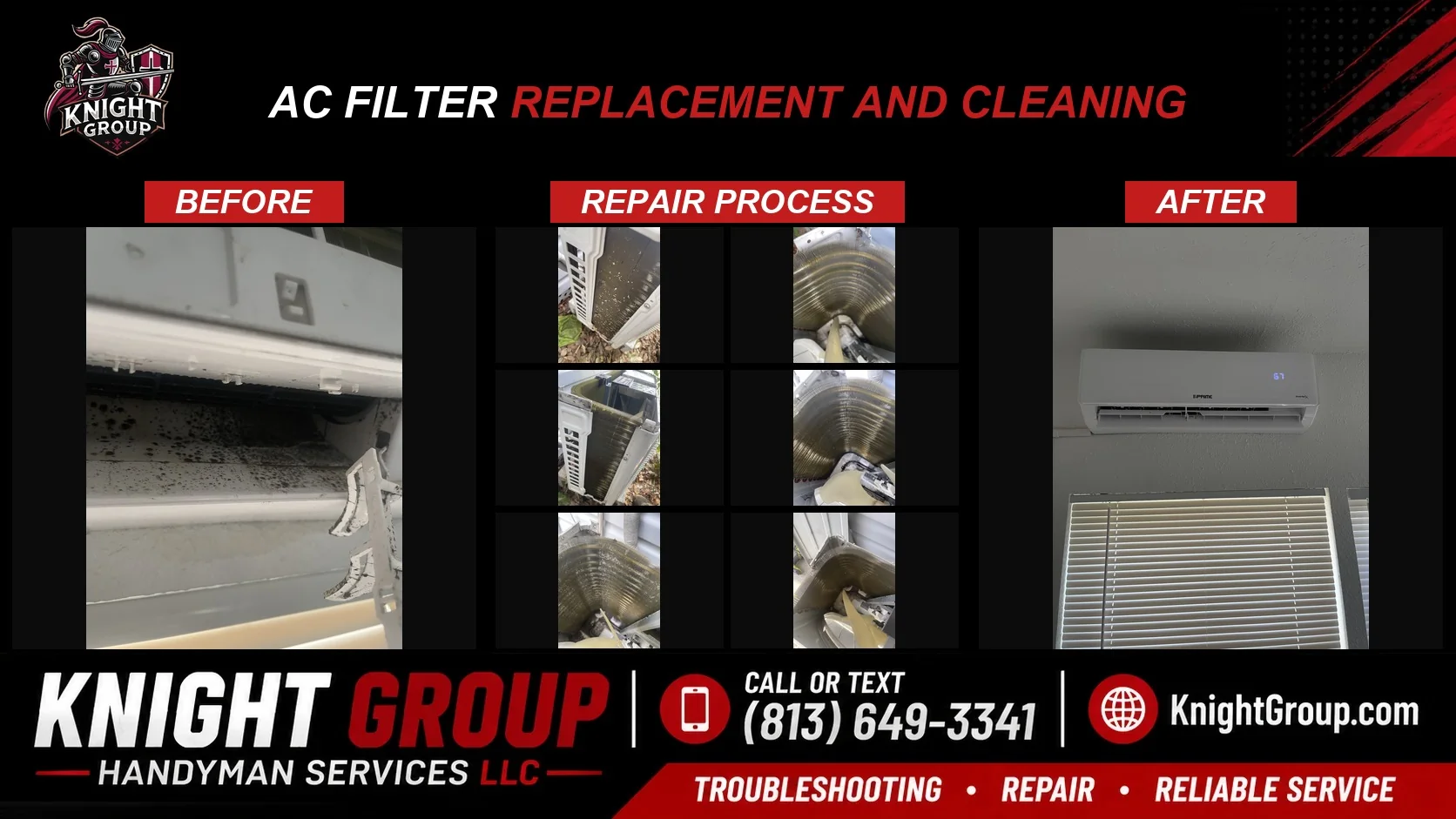
Live field ops for Knight Group: the ticket → photo → invoice path built after one OutreachEngine reply became a portal client that never stops sending work.
Outreach CRM case studyOutreachEngine booked the relationship; the dispatch queue and weekly invoice pack are what that one client’s volume forced us to build.
We build lean workflows for portal-heavy vendors who do not need enterprise FSM — often at lower cost and tighter fit.
Yes — mobile job updates and photo capture are browser-first so crews are not forced into another app store install.
OutreachEngine sends to leads every day. One CRM response became this portal-vendor relationship — and that single client alone now generates most of the work-order volume. Vendoroo texts are the intake that reply unlocked; Handyman Ticket Manager is the ops system that volume required.
Describe your portal, crew size, and billing process — we will scope the leanest job system.
Request a Consultation