Intake
Form-to-CRM
Website form submit → folder record + owner notify via Email-Agent formspree_lead — not a buried forward chain.
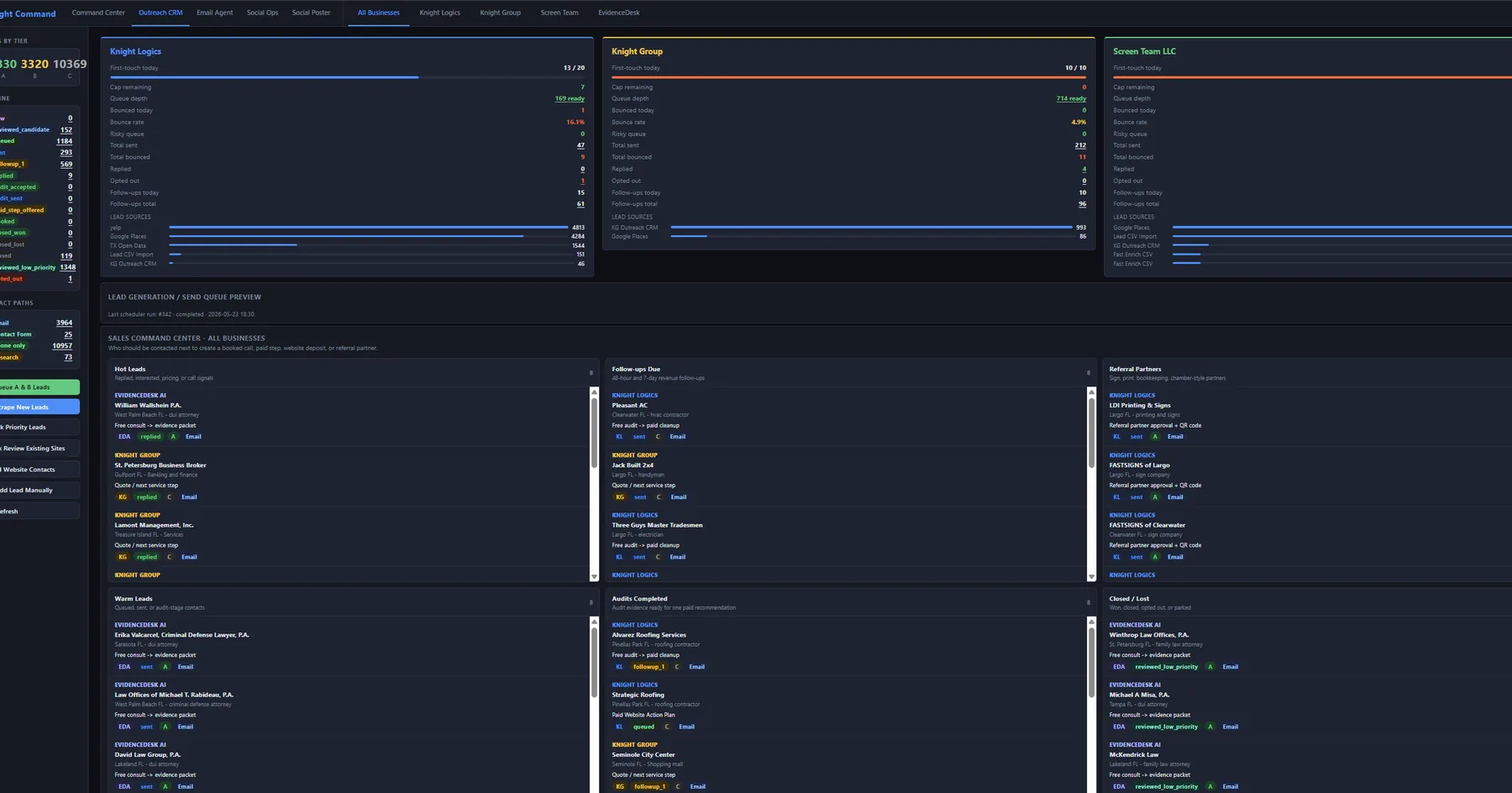
Knight Command is the hub — CRM outreach sends, Email-Agent routes replies and form leads, Social Poster queues posts, dispatch closes jobs into invoice and gallery, referrals attribute partner work. This page maps the cross-lane sequence and links to each specialized lane — not a collage of unrelated site heroes.
Workflow automation connects scheduler jobs, email triggers, social posting windows, invoice milestones, and internal notifications — with daily caps, bounce rules, and failure reporting built in. Concrete triggers include form-to-CRM folder routing, job-complete → review-request sends, and stale-lead → follow-up jobs. Each lane has its own page; this is how they connect through Knight Command.
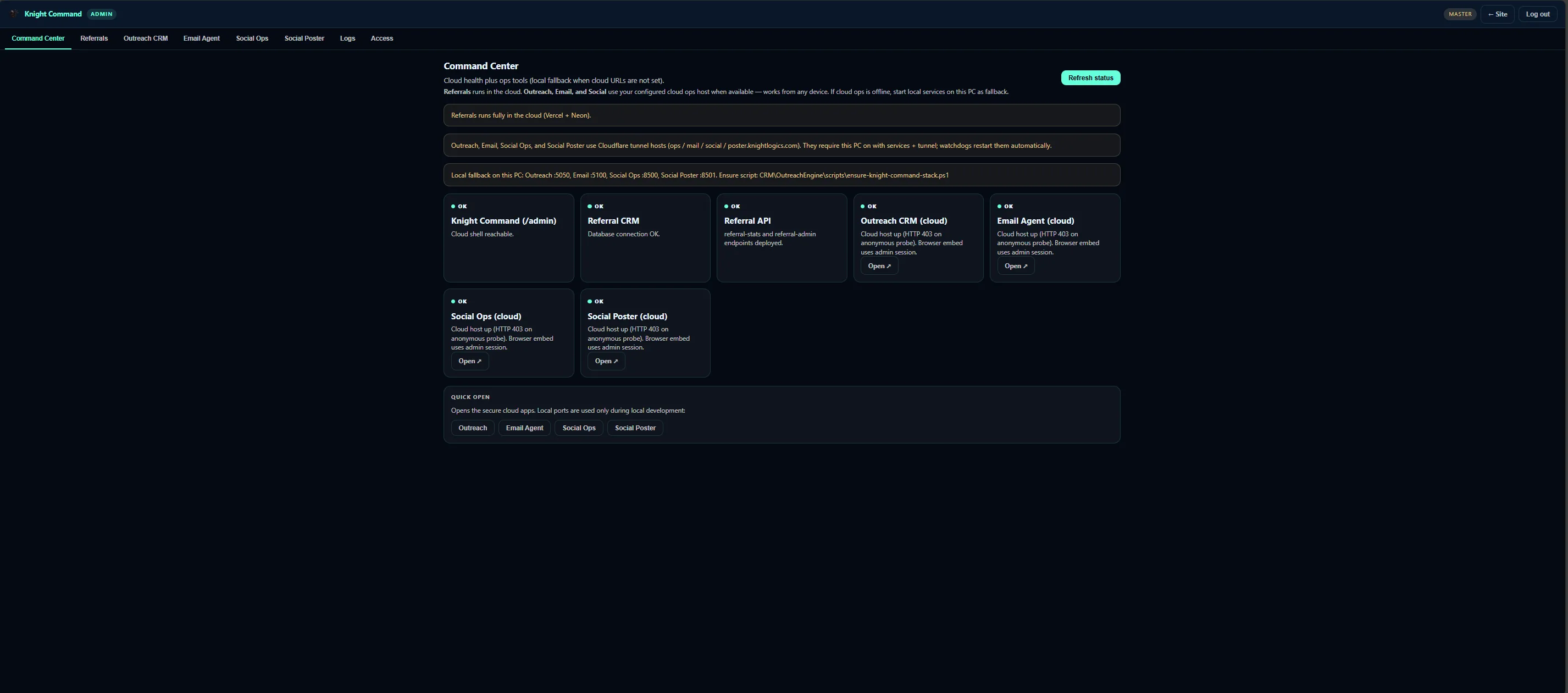
Growth systems only work when your team opens them daily. Knight Command centralizes Command Center, Referrals, Outreach CRM, Email Agent, Social Ops, Social Poster, and Logs — each tab embeds the live service on its production port.
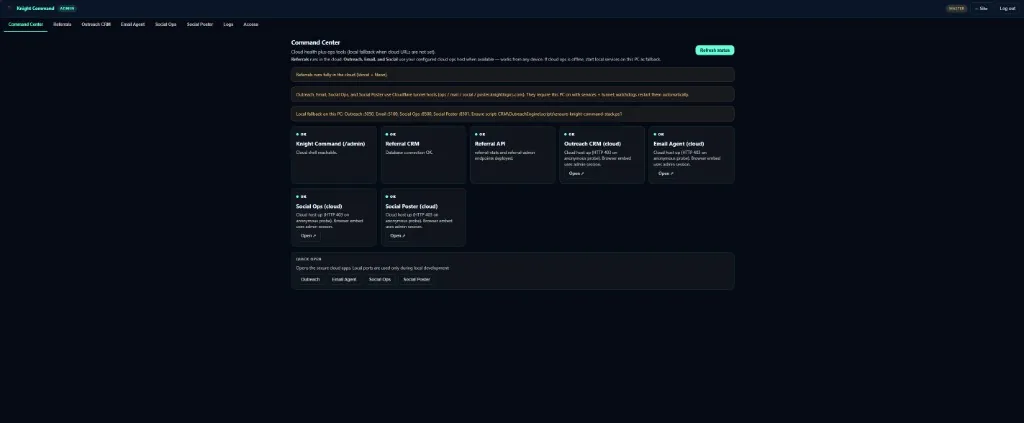
first_touch and followup scheduler jobs run with daily caps (typically 20–40) and bounce suppression. Replies land in Email-Agent crm_reply views — not personal Gmail. This lane has full depth on its own page.
Autoplaying muted — use controls to unmute
Website form submissions and outreach replies fan out to brand-mapped inboxes. Bounce signals loop back to OutreachEngine. Form leads stay in formspree_lead — separate from campaign replies and owner threads.
Autoplaying muted — use controls to unmute
Social Poster (port 8501) schedules content per brand with posting windows and last-success timestamps. Social Ops (8500) runs engagement sweeps. Completed dispatch jobs can fan social-ready composites into the brand queue — marketing without a second upload.
Autoplaying muted — use controls to unmute
KG Dispatch captures before / process / after shots per ticket. Closeout triggers review-request automation, gallery publish, and Stripe billing. Photo-required gates block invoice until proof attaches — workflow discipline in the field layer.
Referral tracking turns word-of-mouth into attributed pipeline — /ref/:partner links, QR brochure scans, and partner dashboards showing earned vs paid. Form fills from partner paths route through Email-Agent and CRM with source tags.
Business process automation examples that map to lanes above — each with failure monitoring.
Intake
Website form submit → folder record + owner notify via Email-Agent formspree_lead — not a buried forward chain.
Reputation
Ticket closeout → review-request send with GBP link throttle — pairs with dispatch and review systems.
Follow-up
Quote older than N days → follow-up job — skips anyone already booked or recently contacted.
Proof
Ticket cannot close until before/process/after proof attaches — invoice blocked until field ops complete.
Outreach
OutreachEngine scheduler with daily caps and bounce detection — replies to Email-Agent crm_reply.
Monitor
Failed runner or webhook → Logs alert same day — pause/resume runbook documented for operators.
Knight Command embeds the lanes your morning review depends on — CRM queue, inbox routing, social last-success, and Logs when something breaks.
Ops hub Knight Command · one login
Workflow automation only sticks when operators open one shell daily. Knight Command shows queue depth across outreach, Email-Agent backlog, social last-success, and referral attribution — before send windows fire across brands.
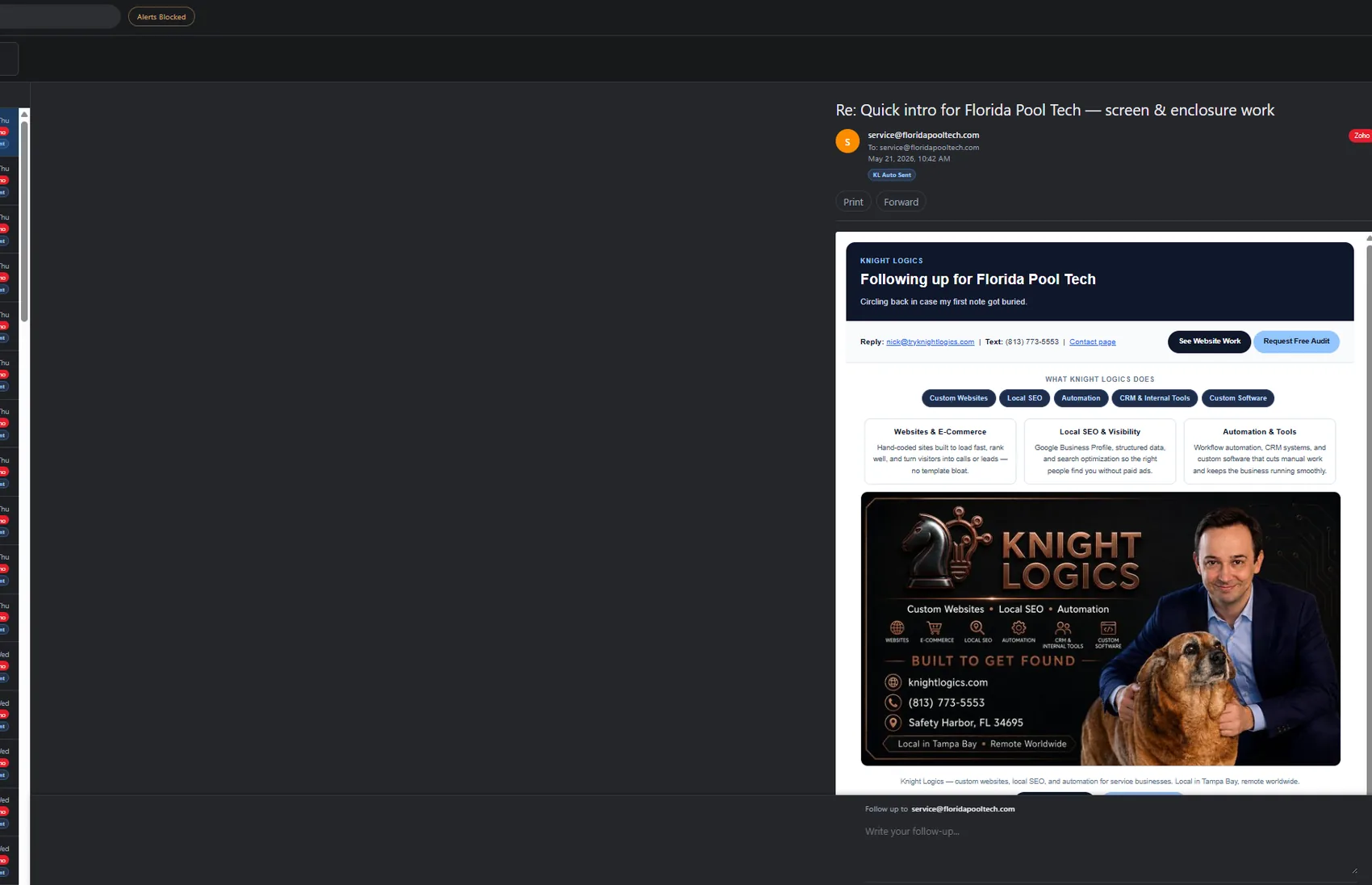
Trigger chain Send → reply → triage
The CRM → Email loop is the backbone of cross-lane ops: campaign replies in crm_reply, form intake in formspree_lead, bounce feedback suppressing the next scheduler window. Not opaque zaps — owned workflows with logging tied to brand lanes.
Phased rollout keeps automations reliable before scaling volume — one lane at a time through Knight Command.
Write the happy path for each job or lead type before any scheduler job ships — map which lane owns each step.
Define events — form, status change, timer — that start each workflow and which specialized page owns the depth.
Connect CRM, Email-Agent, social, dispatch, and referral tabs in Knight Command — failure logging from day one.
End-to-end test with realistic data — edge cases validated before production volume scales.
Simple overrides when automation needs human judgment — runbooks for pause and resume during incidents.
Cadence and monitoring results when background jobs replace spreadsheet reminders across connected lanes.
Follow-ups, posts, and review asks fire on schedule — not when someone remembers during a busy week.
Send and post limits protect domain and account reputation across outreach and social lanes.
Broken jobs surface in Knight Command Logs before customers notice gaps in follow-up or posting.
New triggers added per lane without rebuilding unrelated services — link-out pages stay the depth source.
CRM queue, email backlog, social status, and referral attribution in one shell — not five bookmarks.
Dispatch closeout fans photos to gallery and social queue — completed work becomes proof without re-upload.
Workflow proof from Knight Command and lane case studies — concrete triggers, not vague RPA claims.
Unified /admin embedding referrals, outreach, email, social, and logs on production brands — the workflow hub.
Flask SQLite CRM with brand lanes — scheduler cadence and Email-Agent reply routing on live campaigns.
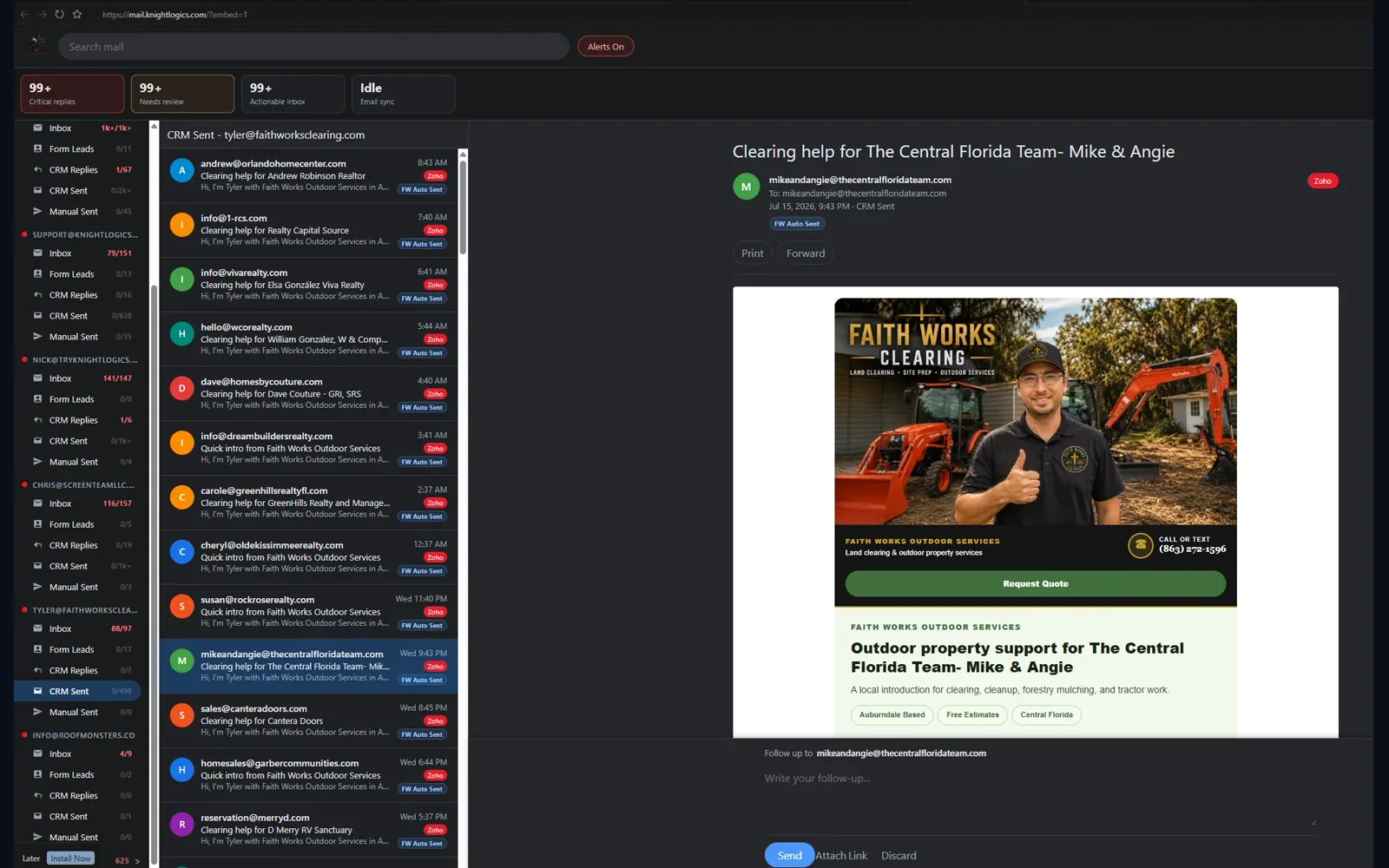
Port 5100 crm_reply and formspree_lead routing — where outreach and form triggers land.
Website, outreach, email, social, referrals, and dispatch wired as phased lanes in one growth architecture.
Form-to-CRM routing, job-complete → review request, stale-lead follow-up, photo-required closeout gates, OutreachEngine first_touch/followup, and Stripe completion notifies — each with failure monitoring in Knight Command Logs.
This page maps how lanes connect through Knight Command. Depth lives on dedicated pages: CRM outreach, Email-Agent, social automation, job workflows, and referral systems.
We build owned workflows with logging tied to your CRM and job records — better for critical ops than opaque zaps that fail silently. Knight Command Logs tab is the ops visibility layer.
Failures surface in Knight Command Logs and owner alerts same day — pause/resume runbooks documented before scaling volume across Tampa Bay ops.
KG Dispatch captures before/process/after photos per job; closeout publishes to gallery and fans social-ready assets into the brand Social Poster queue. See job workflows for dispatch depth.
Tampa Bay service teams repeating the same intake, proof, follow-up, and posting steps every week — ready to open Knight Command daily instead of juggling five bookmarks.
Spreadsheet reminders, forgotten Gmail follow-ups, and fragile no-code chains for mission-critical paths — not every SaaS in your stack. Specialized lane pages document what each service owns.
Scoped by lane or full cross-lane wiring through Knight Command. See pricing or book a consult for a written estimate.
Describe the steps across CRM, email, social, and field ops — we will map how lanes connect through Knight Command with safe fallbacks and visible failures.
Request a Consultation