


Admin
Admin panels
Owner and staff views with fields and actions that match your process — Command Center pattern.
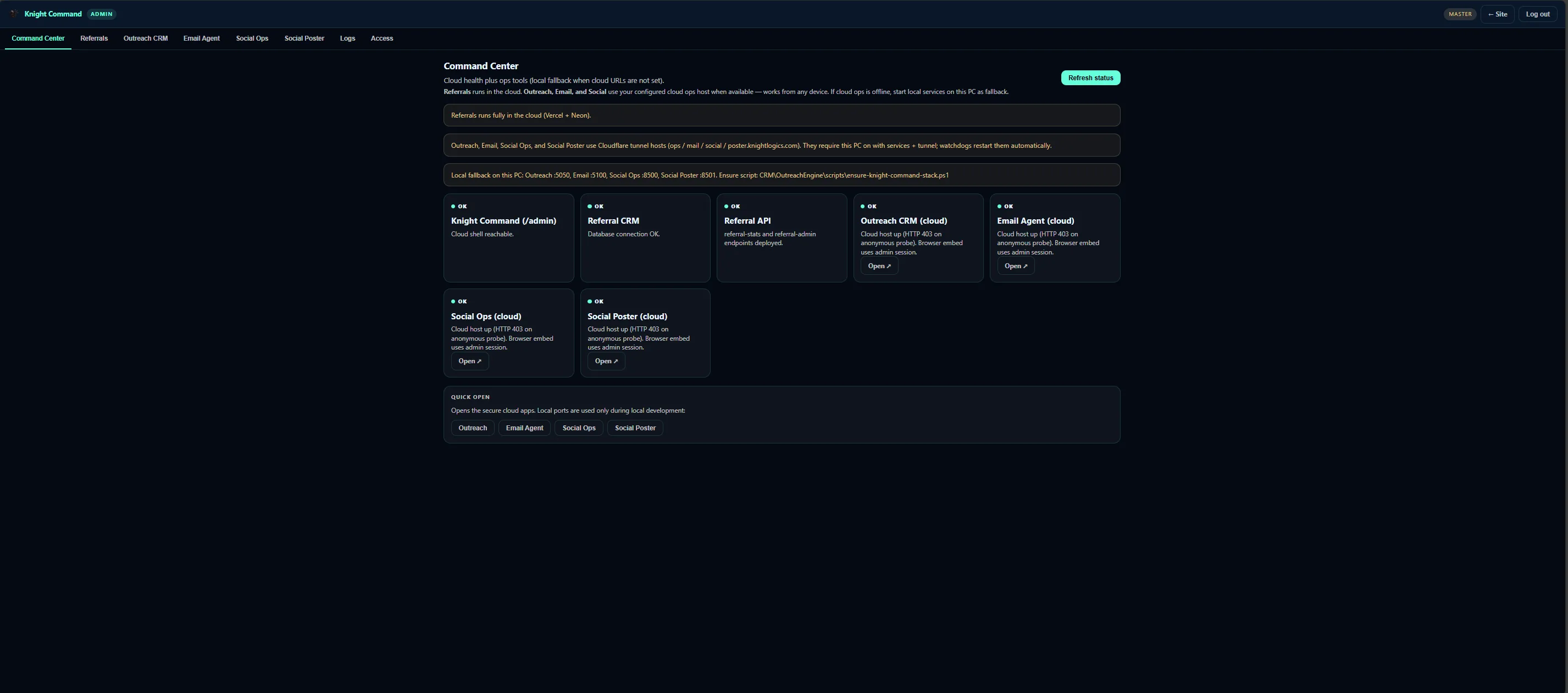
When spreadsheets and group texts become bottlenecks, we build web-first admin panels, trackers, and role-based views your team uses every day — like Knight Command at /admin.
Internal business tools are custom dashboards, intake forms, job trackers, and admin shells built for how your team sells and delivers — not off-the-shelf CRM features you never configure.
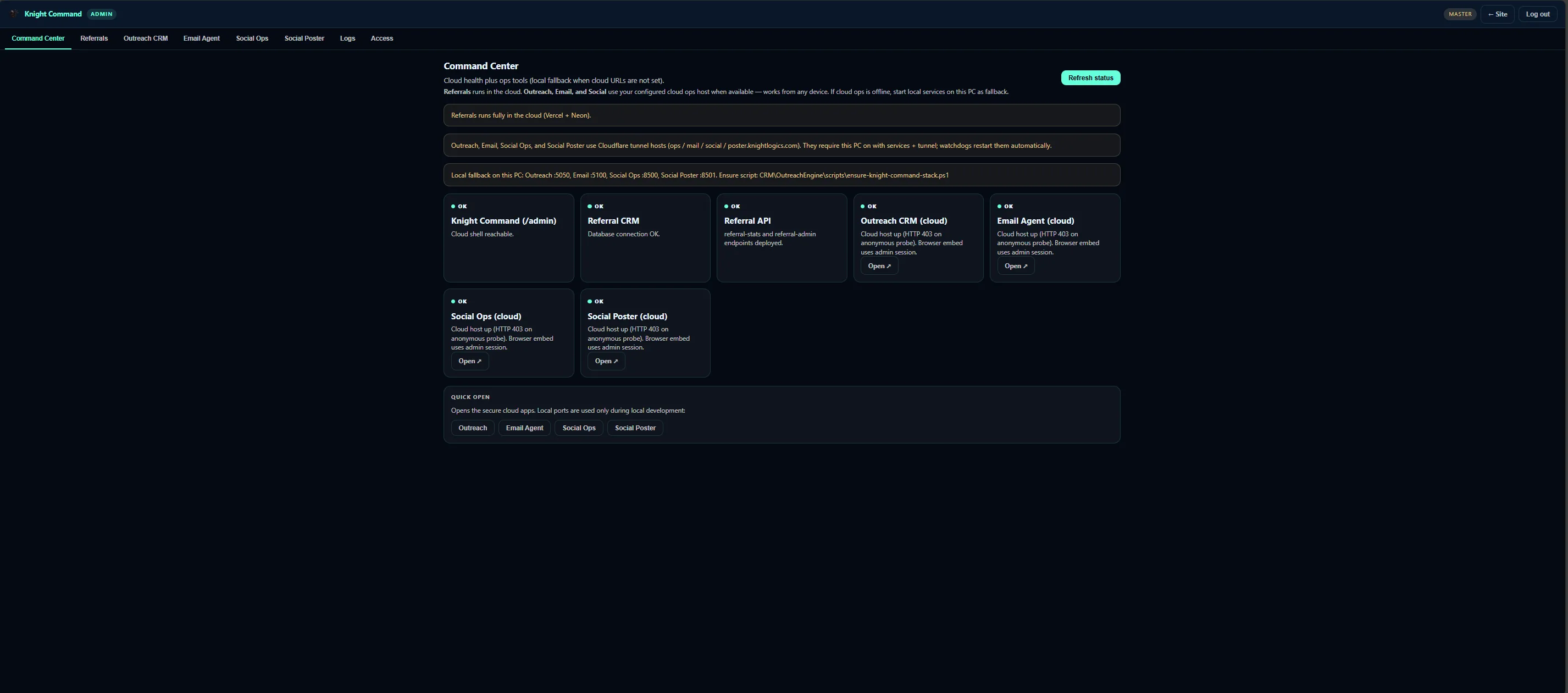
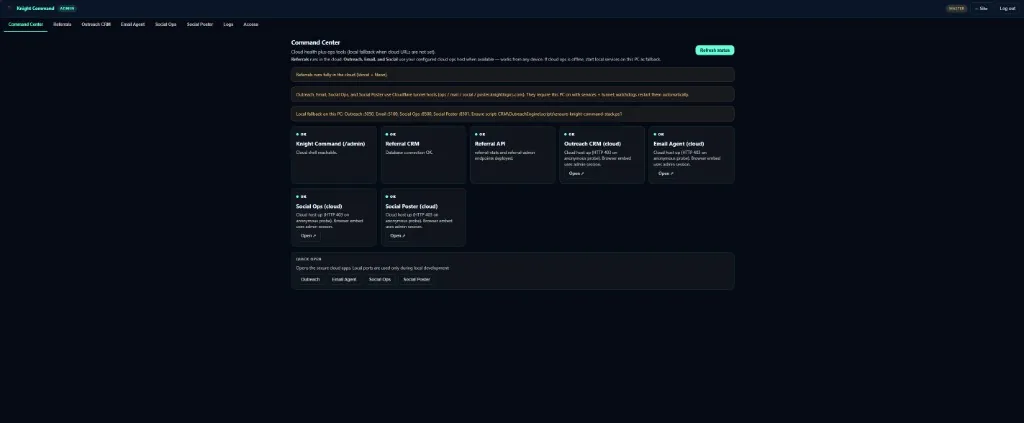
Knight Command at /admin is the reference pattern: tabbed shell with embeds to referral dashboard, OutreachEngine, Email-Agent, and Social Poster on documented ports.
Internal tools prioritize mobile-readable layouts, role gates, and modular upgrades so one service can deploy without rebuilding the entire admin.
Internal tools earn their keep when they replace weekly spreadsheet rituals with one view owners actually open.
Knight Logics ships tools against live workflows — outreach, referrals, ticketing — not generic admin templates.
Version conflicts, no audit trail, and fields that do not match field crew reality — internal ops need purpose-built tools, not another Google Sheet. Once a business runs a CRM, a ticket queue, and payout tracking at the same time, spreadsheet formulas start silently breaking and nobody notices until a number looks wrong at month-end.
Built from live Knight Logics workflows — not generic agency checklists.
Admin
Owner and staff views with fields and actions that match your process — Command Center pattern.
Queues
Lead, job, ticket, and payout visibility in one authenticated shell.
Roles
Different screens for office staff, field crews, and ownership.
Deploy
Browser tools on desktop and mobile without app store friction.
Auth
Login-gated panels so payout and lead data are not one guessed URL away from public.
Embeds
Wrap existing Flask or Streamlit tools behind one shell instead of rebuilding what already works.
Referrals, Outreach CRM, Email Agent, Social Ops, Social Poster, and Logs as modular embeds behind one login.
Internal tool projects fail when they try to replace every spreadsheet at once. We scope one painful tracker first — usually leads or payouts — prove it, then add tabs.
What ships when we scope Internal Business Tools for your trade, territory, and operator workflow.
Dashboard development scopes reporting; internal tools add interactive operator workflows and embed architecture.
A clear path from intake to launch — scoped to what your team will actually use.
Map who does what, which fields matter, and what must stay owner-only.
Sketch views per role before database or API work.
Deploy panels with secure auth and optional embeds to Flask or Streamlit services.
Move records out of the old spreadsheet without losing history teams still reference.
Short training cycle then adjust fields based on real usage.
Results Internal Business Tools is designed to produce for owners who review queues weekly — not vanity dashboards.
Operators authenticate once to reach growth and ops tools.
New services slot into tabs without redesigning the entire admin.
Job and ticket UIs work on phone browsers crews already carry.
Replace spreadsheets with tools wired to your actual data stores.
Owners outgrowing spreadsheets for leads, jobs, or payouts
Teams running multiple localhost or cloud services needing one shell
Businesses wanting referral-dashboard-style visibility for internal ops
Operators preparing to scale without buying enterprise ERP
Companies with sensitive payout data currently sitting in a shared sheet
Field crews who need job details on a phone, not a desktop-only tool
Live internal
/admin with tabs for Command Center, Referrals, Outreach CRM, Email Agent, Social Ops, Social Poster, and Logs — embeds on ports 5050, 5100, 8500, 8501.
View Knight Command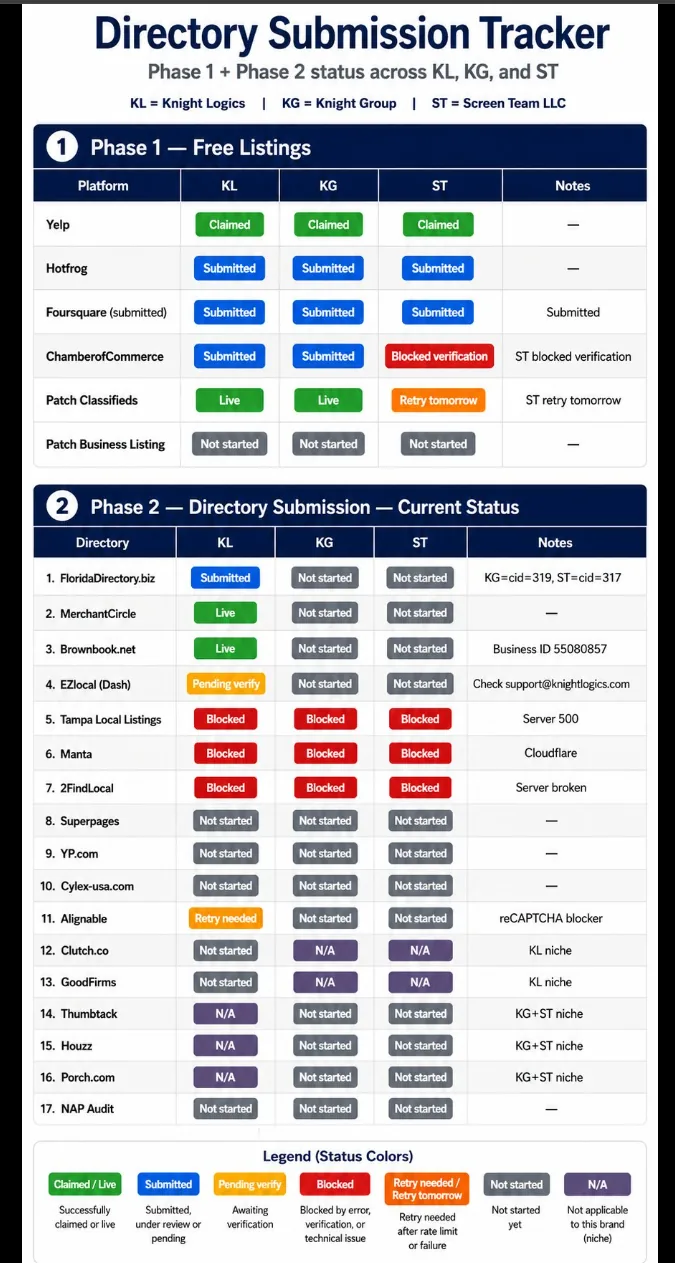
Internal tool Directory Tracker
Directory Tracker is the pattern for internal business tools: repeated checklist work turned into a focused UI with status columns, notes, and export paths your team actually opens each week.
Examples that belong to Internal Business Tools. Primary proof first; secondary only when it shares the same system pattern.
Unified /admin tabs for CRM, email, social, referrals, and logs on ports 5050–8501.
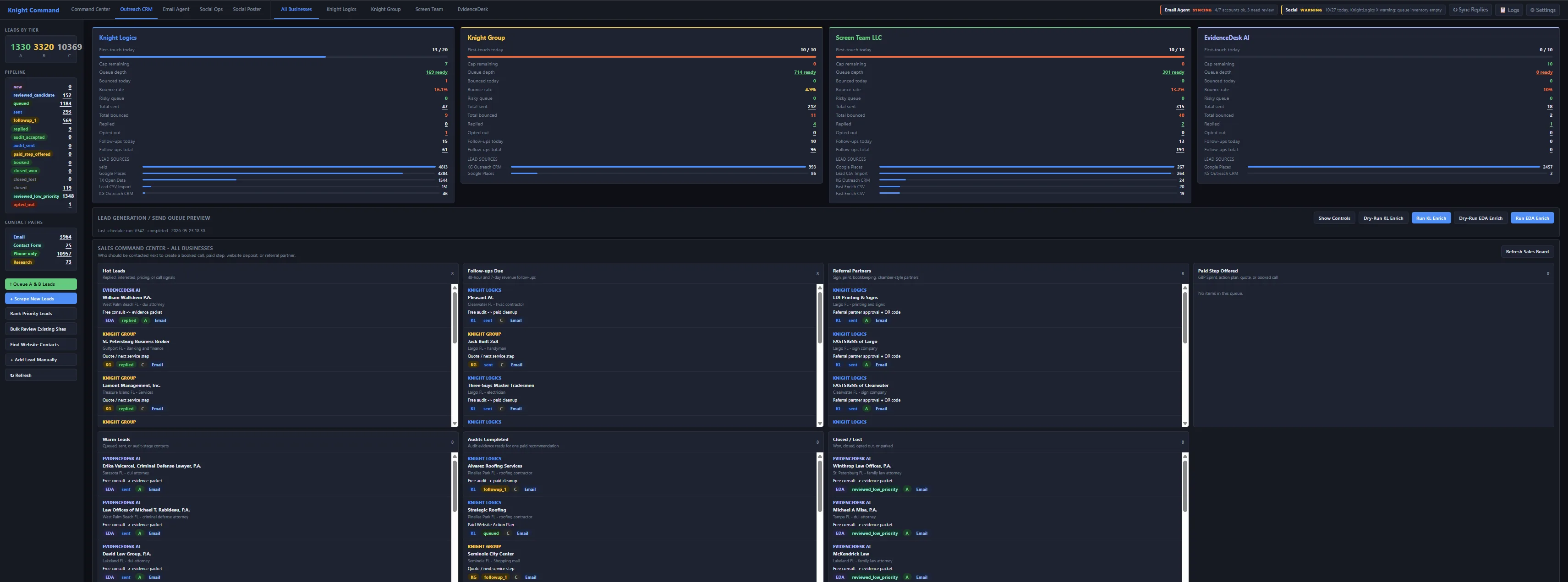
Flask SQLite CRM with kl, kg, st, and faithworks brand lanes — scheduler cadence and Email-Agent reply routing on live client campaigns.
We prioritize responsive web tools crews open in the browser — faster to ship and easier to maintain.
Yes — Knight Command embeds OutreachEngine, Email-Agent, and Social Poster instead of rebuilding them.
Cloud or your infrastructure depending on security needs — scoped during consult.
Yes — data migration is part of the build so historical leads, jobs, or payout records carry over instead of starting from zero.
Panels sit behind authentication with role gates, so field staff see job details while payout and partner data stay owner-only.
That is the recommended starting point — build the highest-friction tracker first, then add tabs once it earns daily use.
Walk us through the spreadsheet or tabs you wish one screen could replace.
Request a Consultation