
Windows Production App

VideoForge Studio

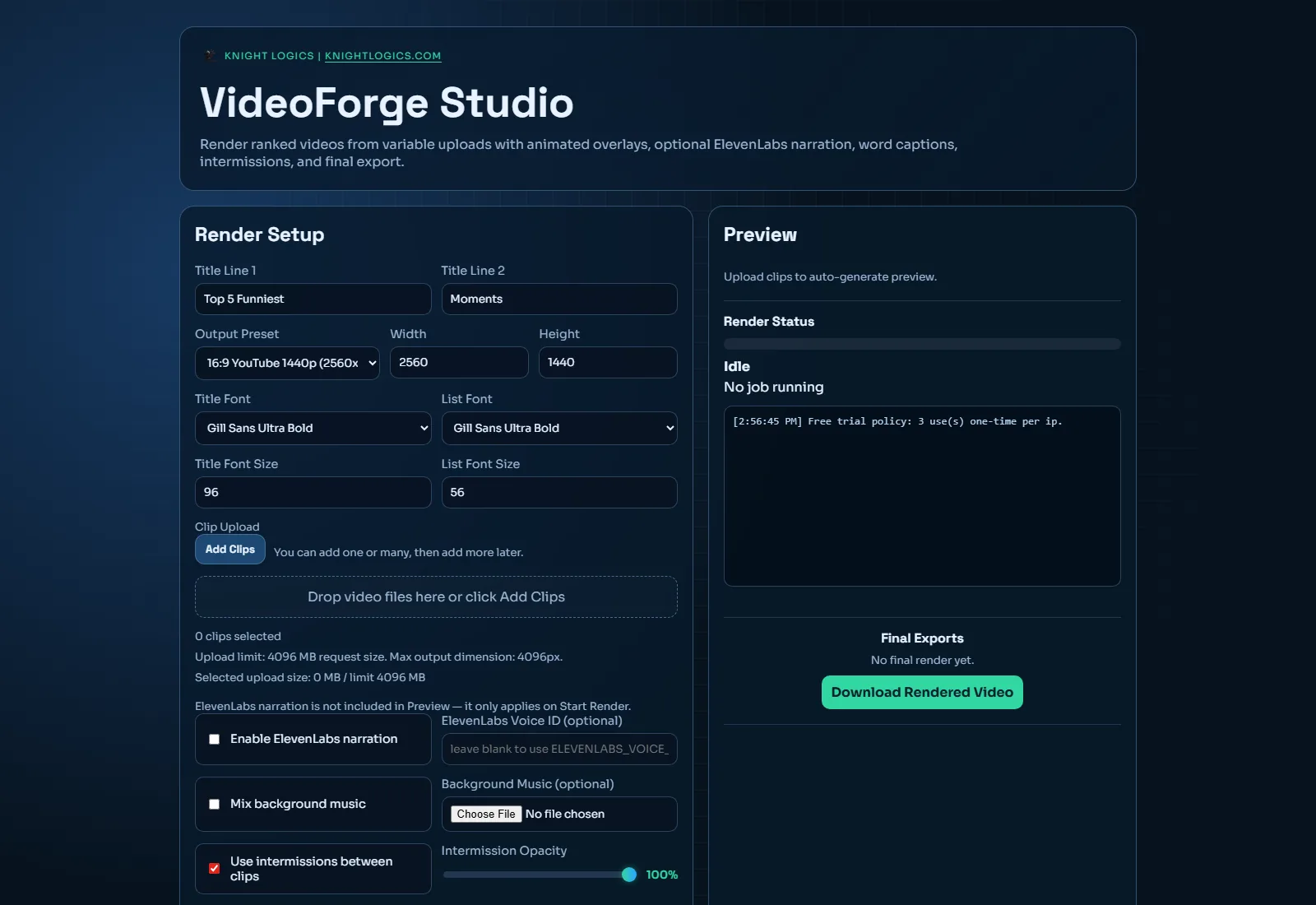
A local-first ranked video production workflow for creators who want direct control over clips, captions, overlays, audio, and final rendering without relying on hosted compute.

3 to 10 clips per render FFmpeg + Pillow workflow User-side local rendering

VideoForge Studio Pipeline

Upload, sequence, render, export.

Input Clip uploads with title/caption control
Processing FFmpeg composition + Pillow overlays
Optional voice Narration and timed captions workflow
Output Portrait, landscape, or custom dimensions
Product Walkthrough

Official Demo Video Coming Soon

This section is prepared for a future VideoForge Studio YouTube walkthrough, matching the product-page style used across PixelForge AI and Display Control+.

Embed target is ready for your upcoming VideoForge overview video.

Follow Knight Logics on YouTube
Local-first

Rendering happens on user hardware in local mode, avoiding dependency on managed cloud compute for core jobs.

Structured

Uploads, ordering, captions, overlays, intermissions, and audio are handled in one consolidated production interface.

Optional billing

Credit billing, purchase flow, and token recovery can be enabled for hosted usage scenarios when needed.

Deployable

Repository includes desktop packaging and container/deployment paths for broader product distribution strategy.

Built For Real Production Workflows

VideoForge Studio is designed for repeatable ranked-video output where speed, consistency, and local control matter.

Clip Sequencing

Build ranked formats from three to ten clips with ordering and per-clip metadata controls.

Overlay Generation

Create animated title cards and ranked reveal overlays using Pillow-driven asset generation.

Audio + Narration

Blend background music and optionally integrate narration workflows with timed caption support.

Output Control

Export to portrait, landscape, or custom dimensions based on platform and publishing format.

Recommended Product Path

Desktop distribution for creators. Optional hosted path for scale.

The preferred model is user-side local processing via packaged releases, while backend deployment remains available for hosted scenarios that need shared rendering access.

Desktop user mode Install and run locally to render on each user's machine.
Backend-ready stack Flask + Waitress + FFmpeg + writable workspace for hosted operation.
Commercial controls Stripe-backed credits and token recovery available when enabled.

Core Stack

  • Python, Flask, and Waitress for runtime app serving
  • FFmpeg processing for composition and export
  • Pillow overlays for visual ranking elements
  • SSE progress updates for long-running render jobs

Distribution + Deploy

  • Windows packaging scripts and release artifacts
  • Docker and Render deployment path documented in repository
  • Persistent workspace model for uploads, jobs, and outputs

Quick Start

A practical setup sequence for creators and operators.

01

Download latest release

Grab the newest package from GitHub Releases and install on your Windows machine.

02

Launch local interface

Open the app and use the production interface from your local environment.

03

Build your ranked sequence

Upload clips, tune titles/captions, choose audio options, and configure export settings.

04

Render and export

Run the FFmpeg pipeline, monitor progress, and ship polished output for publication.

Get Started

Download, test locally, then scale distribution

VideoForge Studio supports creator-side local production today while preserving a clear path to hosted deployments for future growth.

Versioning note

This page links to the latest release endpoint so visitors always land on the current build without outdated tag URLs.

Need custom automation for media production?

Knight Logics designs local-first and deployment-ready workflows for real production pipelines.